By 2 p.m., your neck is stiff. Your shoulders are up near your ears. You catch your reflection in a dark window and realize you have been hunched over your laptop like a question mark for hours.
This is not a willpower problem. It is a setup problem.
Laptops are built for travel, not for sitting at a desk all day. The screen is too low. The keyboard is too close. Your body pays the price for that convenience, one workday at a time.
A laptop stand is the simplest fix. It is not flashy. It will not make your WFH setup look like a tech influencer’s desk. But it solves a real, physical problem that most remote workers have never actually addressed.
Here are 10 specific benefits of laptop stands, based on what actually changes when you raise your screen off the desk.
1. It Puts Your Neck Back in a Neutral Position
When your laptop sits flat on a desk, you look down at it. Not a little. Often 30 to 45 degrees down.
Your head weighs about 10 to 12 pounds. Every inch it tips forward adds more load on your neck muscles. That is why your neck feels tired by mid-afternoon, even if you have not moved much all day.
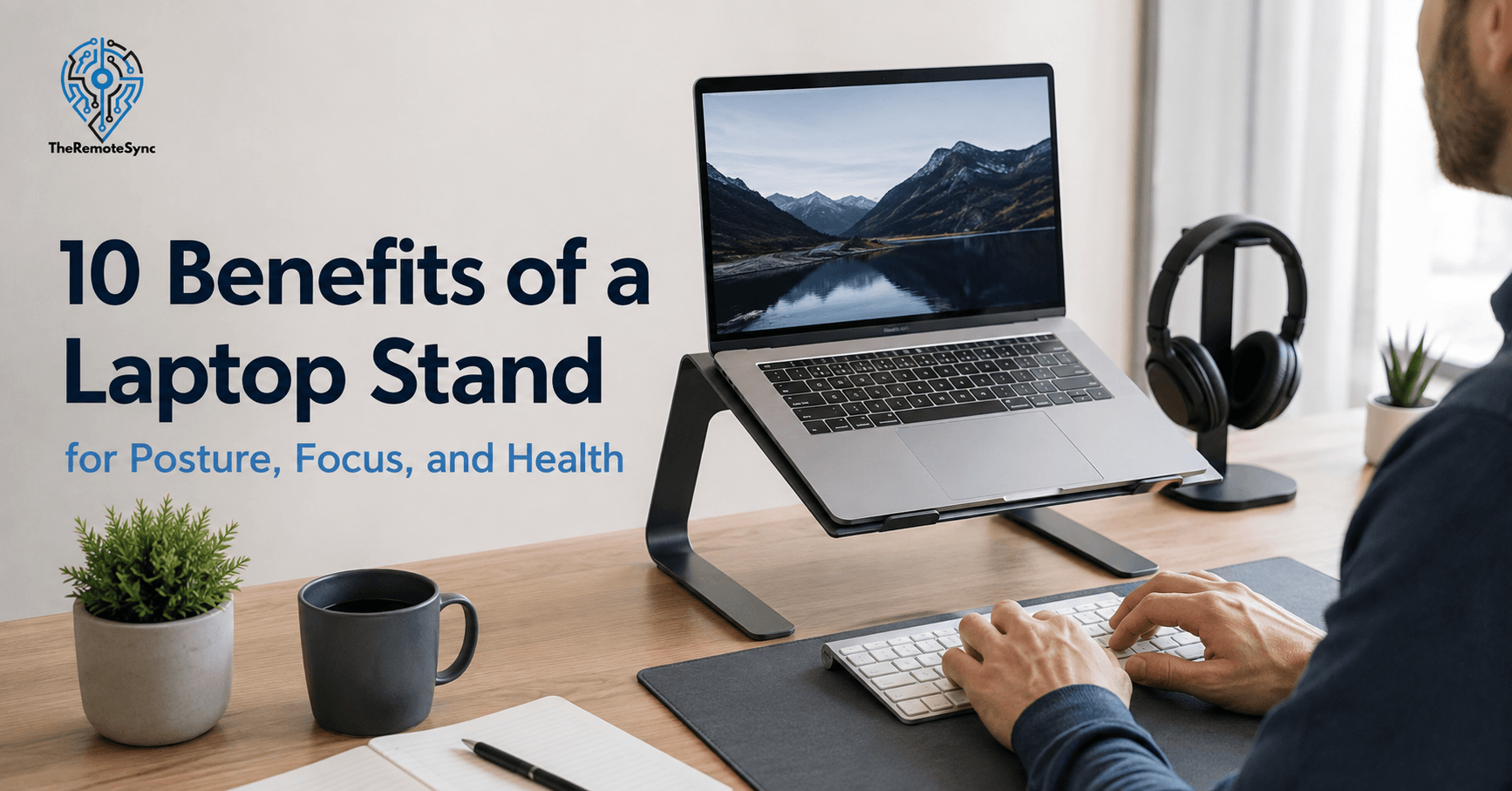
A laptop stand raises the screen so the top of it sits at or slightly below your eye line. This is not a guess. It is the same standard the Occupational Safety and Health Administration uses for computer monitor placement. Your head stays stacked over your spine instead of jutting forward.
This one change is the reason most people buy a stand in the first place. Everything else on this list is a bonus.
2. It Lowers Your Risk of Chronic Neck and Shoulder Pain
This is not a small or rare issue. A survey of people working from home during the pandemic found that 60.3 percent reported neck pain, making it the most common complaint among home computer users, according to a cross-sectional study published in the Bulletin of Faculty of Physical Therapy.
Mayo Clinic Health System refers to this pattern as “tech neck,” and notes that neck pain is the fourth leading cause of disability, with an annual prevalence rate above 30 percent.
None of this means a stand is a medical treatment. It is not. But removing the daily habit of looking down for eight hours is one of the few changes you fully control.
3. It Reduces Eye Strain
This benefit gets less attention than posture, but it matters just as much.
When your screen sits too low, your eyes work harder to focus, and your eyelids do not close as often, which dries them out faster. Add glare from an overhead light or window, and you get the classic end-of-day headache.
Raising the screen to eye level does two things:
- It reduces the downward angle your eyes hold all day. Less strain on the muscles that control eye movement.
- It changes the angle of glare hitting the screen. A tilted, elevated laptop often catches less overhead light than one lying flat.
Pair this with the 20-20-20 rule. Every 20 minutes, look at something 20 feet away for 20 seconds. The stand fixes your setup. The habit fixes your eyes.
4. It Keeps Your Laptop Cooler
Laptops pull in air from vents on the bottom and sides. When the laptop sits flat on a desk, especially on a soft surface like a bed or your lap, those vents get partially blocked.
A stand lifts the whole unit off the surface. Air moves underneath it instead of getting trapped. This matters for two reasons:
- Performance. A laptop running hot will throttle its processor to protect itself, which means your machine gets slower during demanding tasks like video calls or exports.
- Longevity. Consistent heat exposure wears down internal components faster over the life of the device.
If you work on a couch or in bed often, this benefit alone can justify the purchase.
5. It Forces You to Use an External Keyboard, Which Fixes a Second Problem
Here is something most articles skip: raising your laptop screen without an external keyboard creates a new problem. Your built-in keyboard rises with it, and now you are reaching up and forward to type, which strains your shoulders.
This is why a laptop stand and an external keyboard setup work as a pair, not two separate purchases. The stand fixes screen height. The keyboard and a separate mouse fix hand and wrist position.
If you only buy the stand and skip the keyboard, you are trading one problem for another. Budget for both from the start.
6. It Reduces Wrist and Shoulder Strain, With the Right Accessories
Once you add an external keyboard and mouse, you can position them at elbow height with your forearms parallel to the floor. This keeps your wrists in a neutral, straight line instead of bent up or angled awkwardly, which is one of the main contributors to wrist fatigue over a full workday.
Your shoulders benefit too. Instead of hunching forward to reach a low keyboard, they can stay relaxed and slightly back. Small change. Big difference by hour six of a workday.
7. It Frees Up Desk Space
A laptop lying flat takes up a rectangle of desk real estate that you cannot use for anything else. A stand lifts it and creates open space underneath.
That gap is more useful than it sounds. People use it for:
- A notebook or planner. Slide it under the stand where it is out of the way but still reachable.
- Cable management. Route charging cables and cords through the open space instead of letting them pile up in front of your keyboard.
- A phone or tablet. Store it there instead of leaving it in your direct line of sight, which cuts down on distraction.
If your WFH setup feels cramped, this is one of the fastest ways to reclaim space without buying a bigger desk.
8. It Makes Hybrid Work Easier on Your Body
If you split time between a home office, a coworking space, and the occasional coffee shop, your posture problems multiply. Every location has a different desk height, a different chair, and usually no monitor.
A portable, foldable laptop stand solves this by giving you one consistent screen height no matter where you sit. Most fold flat enough to fit in a laptop bag and weigh under two pounds.
This matters more for hybrid workers than fully remote ones. You do not get to build one perfect setup and leave it alone. You are rebuilding your workspace multiple times a week, and a stand is the one variable you can control everywhere you go.
9. It Can Extend Your Laptop’s Lifespan
This connects back to the cooling benefit, but it is worth calling out on its own.
Heat is one of the main things that shortens a laptop’s usable life. Constant high temperatures degrade the battery faster and put extra stress on internal components over months and years of daily use.
A stand will not make a five-year-old laptop last forever. But if you use your laptop for eight or more hours a day, every degree of heat you remove adds up over time. Think of it as basic maintenance, similar to keeping the vents on a space heater clear.
10. It Improves Focus During Long Work Sessions
This benefit is harder to measure, but real remote workers notice it consistently. When your neck, shoulders, and eyes are not distracting you with low-grade discomfort, you concentrate better.
Pain and fatigue pull attention away from your work in small, constant ways. You shift in your seat. You rub your neck. You lose your train of thought mid-sentence. Fixing the physical setup removes one more source of interruption, which leaves more attention for the actual task.
This is not about turning your desk into a productivity hack. It is about removing friction that was never necessary in the first place.
What to Look For If You Decide to Buy One
If you are convinced and ready to shop, keep the decision simple. Most remote workers only need to check four things:
- Height range. Look for at least 4 to 8 inches of adjustment so it works with different desk and chair heights.
- Weight capacity. Match it to your actual laptop weight, especially if you use a larger 15- or 17-inch model.
- Stability. A wobbly stand defeats the purpose. Aluminum builds tend to hold up better than plastic ones.
- Portability. If you work from more than one location, prioritize a folding design under two pounds.
We put together a full, tested breakdown of ergonomic laptop stand options at different price points, including picks for MacBooks and budget options under $50, in our guide to the best laptop stands for remote workers. If you already have an external keyboard and mouse, almost any adjustable laptop stand in that guide will work well. If you do not, budget for the keyboard and mouse at the same time so you are not left reaching up and forward to type.
Frequently Asked Questions
Is getting a laptop stand worth it?
Yes, if you use your laptop for more than an hour or two a day. The cost is low relative to the discomfort it prevents, and most people notice a difference in neck and shoulder comfort within the first week. The one catch is that you need to budget for an external keyboard and mouse alongside it, since the stand alone just moves the strain from your neck to your shoulders and wrists.
Do laptop stands actually reduce neck pain?
They reduce one of the main causes of neck pain, which is prolonged forward head tilt. They will not fix pain caused by other issues, like a poor chair or an old injury, so pair the stand with a full ergonomic check of your setup.
Do laptop stands help laptops last longer?
They help indirectly. Better airflow means lower operating temperatures, and lower temperatures reduce long-term wear on the battery and internal components.
Can a laptop stand replace a standing desk?
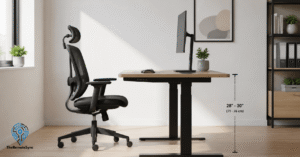
Not fully, but it can bridge the gap. Some stands adjust high enough to use while standing at a normal desk, which gives you a low-cost way to test standing work before investing in a full standing desk.
Do you need an external keyboard with a laptop stand?
Yes, if you plan to use the stand for more than short periods. Without one, your built-in keyboard rises with the screen, forcing your arms up and creating new shoulder strain.
Are laptop stands actually useful?
Yes. They fix a real problem, not a manufactured one. Raising your screen to eye level cuts down on the neck strain and hunching that comes from looking down at a laptop all day, and that benefit holds up whether you work eight hours a day or just a few.
Should laptops be on a stand?
If you use one for more than an hour or two at a stretch, yes. A laptop resting flat on a desk puts your screen well below eye level, which forces your head and neck into a position they were not built to hold for long periods. A stand corrects that.
Does a laptop stand improve performance?
Indirectly, yes. Lifting the laptop off the desk opens up the vents on the bottom and sides, which lets more air move through and keeps internal temperatures lower. Cooler running temperatures mean your processor is less likely to slow itself down during heavy tasks like video calls or exports.
Is a laptop stand good for eyes?
It helps. Raising the screen reduces the angle your eyes hold when looking down for hours, which cuts down on eye fatigue. It also changes how overhead light hits the screen, which can reduce glare depending on your desk setup. Pair it with regular breaks for the best results.
What are the benefits of a laptop stand?
The core benefit is putting your neck back in a neutral position, since raising the screen to eye level stops the 30 to 45 degree downward tilt that a flat laptop forces on your head for hours. From there it compounds: less eye strain, better laptop cooling and lifespan, freed-up desk space, and better focus, since removing low-grade physical discomfort removes a constant source of distraction.
Does a laptop stand reduce eye strain?
Yes, to a meaningful degree. When your screen sits low, your eyes hold a downward angle for hours and blink less often, which dries them out and leads to that end-of-day heaviness behind your eyes.
Raising the screen to eye level reduces that angle. It can also cut down on glare, since a tilted, elevated screen often catches less overhead light than one lying flat on the desk. It will not replace regular breaks, but it removes one of the daily causes of strain.
How a laptop stand improves airflow and cooling?
Laptops pull air in through vents on the bottom and sides. When the laptop sits flat on a desk, especially a soft surface like a bed or your lap, those vents get partly blocked and heat has nowhere to go.
A stand lifts the whole laptop off the surface, so air can move freely underneath it. That keeps internal temperatures lower, which means your laptop is less likely to slow itself down during heavy tasks and puts less long-term strain on the battery and components.
What are the disadvantages of using a laptop stand?
The main one is that it creates a second problem if you don’t solve it alongside the first: raising the screen also raises your built-in keyboard out of a usable typing position, so you end up reaching up and forward, which strains your shoulders. A stand also can’t fully replace a standing desk, and a wobbly or plastic model defeats the point, so stability and build quality matter more than price alone.
Laptop stands vs riser desk?
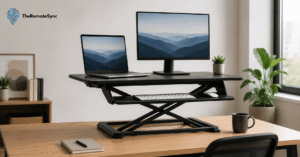
A laptop stand only raises the screen and requires a separate external keyboard and mouse to be usable, while a riser desk raises a full platform, monitor shelf and keyboard tray together, so you can type directly on the raised surface. A laptop stand is cheaper, more portable, and a better fit for hybrid workers moving between locations. A riser desk is the better choice if you want a complete sit-stand setup on a single desk without juggling separate peripherals.
Benefits of Laptop Stands: Fix the Setup, Not Just the Symptom
You do not need a full office overhaul to feel better at the end of your workday. You need your screen at eye level and your keyboard within easy reach.
If your neck or shoulders are sore by mid-afternoon, do not wait for it to get worse. Check your current laptop height against the eye level test in this article today, and if it is off, that is your sign to get a stand and an external keyboard set up this week.