Your mousepad has been through a lot. Coffee drips, hand sweat, crumbs from lunch at your desk, and months of skin oil. If you work from home, your mousepad probably gets more daily contact than almost anything else on your desk.
Most people never wash it. Then one day they notice the surface feels sticky, or it smells a little off, and they panic about ruining it.
Good news. Washing a mousepad is simple once you know your material and follow the right steps. This guide walks you through exactly how to wash mousepad, without damaging the fabric, the base, or any electronics built into it.
Why Your Mousepad Gets This Dirty
If you work a full-time WFH or hybrid work schedule, your hand rests on that pad for eight hours a day, five days a week. That is a lot of contact.
Skin naturally sheds oil and dead cells. Add sweat, snack crumbs, and the occasional spill, and you get a buildup that is part grime, part bacteria.
One widely cited study from the University of Arizona found that the average office desk carries far more bacteria than a toilet seat, largely from the items we touch most, like keyboards and mice. Your desk is worse than a toilet seat as far as bacteria goes. Your mousepad sits in that same zone.
This is not meant to scare you. It is meant to explain why a quick wipe every few months is not enough.
Check Your Mousepad Type Before You Wash It
This is the step most people skip, and it is the one that causes the most damage. Not all mousepads can be washed the same way.
Fabric Mousepads
These are the most common type, especially the cloth ones bundled with gaming setups or bought separately for ergonomic mouse pad use.
Fabric mousepads are usually the safest to wash, either by hand or sometimes in a washing machine, depending on the backing material.
Hard or Plastic Mousepads
These have a smooth, non-fabric surface. They cannot absorb water the way cloth does, so they need a wipe-down approach instead of a soak.
Never submerge a hard mousepad. Water can get trapped between the surface and the base and cause warping.
RGB or Wireless Charging Mousepads
If your mousepad has lights, a USB port, or wireless charging built in, treat it like an electronic device, not fabric.
Water and electronics do not mix. Skip the soap and water method entirely for these.
How to Wash Mousepad by Hand (Step by Step)
Hand washing is the safest method for most fabric mousepads. It gives you full control over water temperature and pressure, so there is less risk of damage.
Here is what to do.
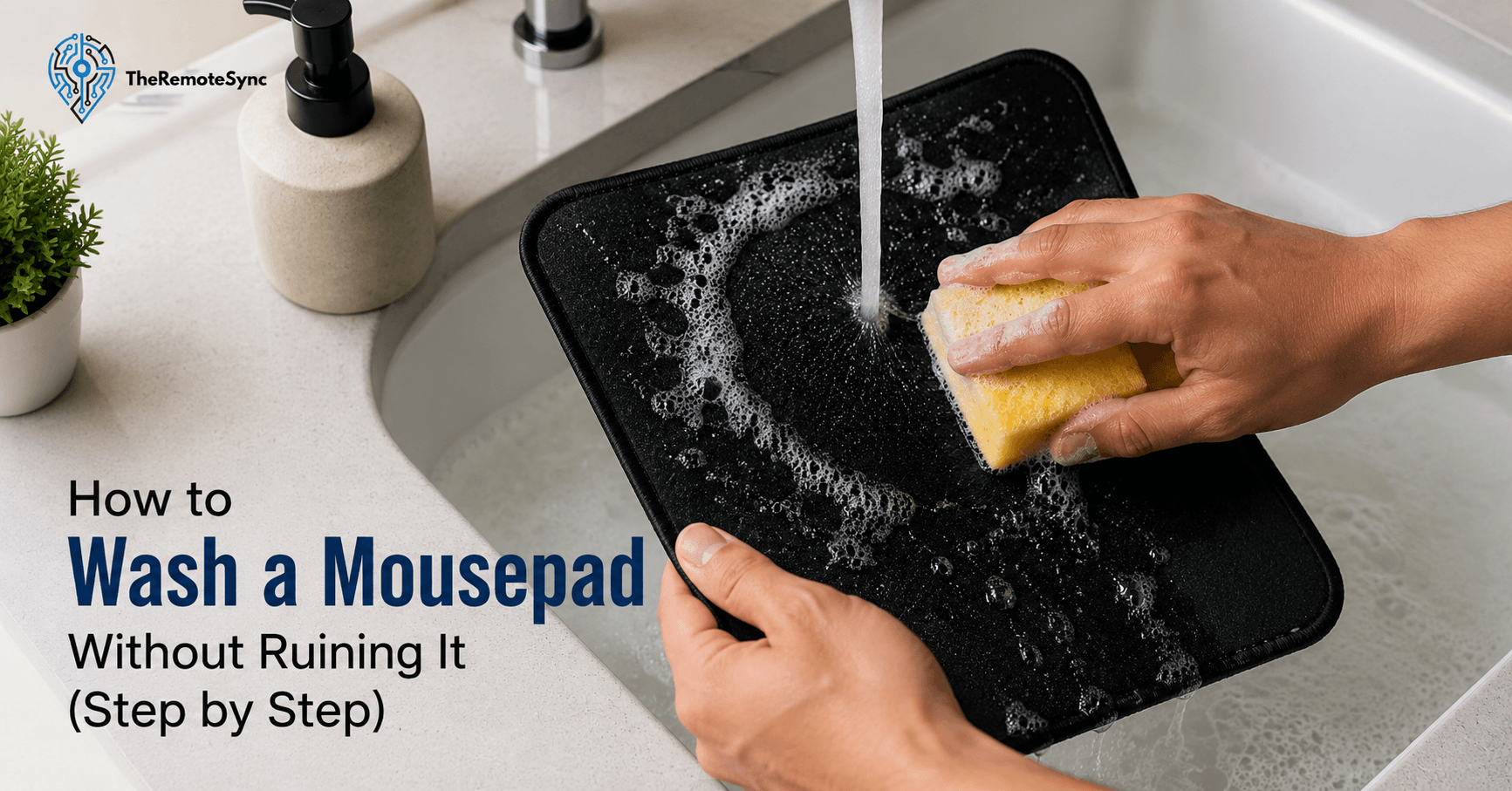
- Fill a sink or basin with lukewarm water. Keep it around 86°F (30°C). Hot water can weaken the glue that holds the fabric to the rubber base.
- Add a small amount of mild soap. Dish soap or a gentle hand soap works well. Avoid harsh detergents or bleach.
- Submerge the mousepad and let it soak for 5 to 10 minutes. This loosens dirt without you needing to scrub hard right away.
- Scrub gently with a soft sponge or microfiber cloth. Focus on the areas near the front edge, where your wrist and palm rest most.
- Rinse thoroughly under clean, lukewarm water. Make sure no soap residue is left behind. Leftover soap can make the surface feel tacky once dry.
- Press out excess water with a towel. Do not wring or twist the mousepad. This can pull the fabric away from the rubber base.
This method works whether you are dealing with everyday grime or asking how to clean the back of a mousepad too. Flip it over and repeat the same gentle scrub on the underside, since dust and skin oil build up there as well.
Can You Put a Mousepad in the Washing Machine?
Yes, but only for certain types. If your mousepad is made from polyester, nylon, or a similar synthetic fabric with a rubber base, a washing machine can work.
Here is how to do it safely.
- Use cold water only. Hot water and washing machines together are the fastest way to warp a mousepad.
- Select a low or gentle tumble setting. High-speed spinning can separate the fabric layer from the rubber base.
- Wash it with similar colored items. A white mousepad in a mixed load can pick up dye from other fabrics.
- Skip the dryer completely. Heat is the enemy here. Always air dry instead.
If your mousepad has a printed design, a stitched edge, or is a large desk mat, hand washing is still the safer bet. Machines are rougher on stitching and prints than most people expect.
How to Wash a Mousepad with RGB Lights
You cannot wash an RGB mousepad the same way as a fabric one. Water can reach the wiring, the USB connector, or the LED strip underneath the surface, and that damage is usually permanent.
Instead, follow this approach.
- Unplug the mousepad first. Never clean anything electronic while it is connected to power.
- Use a slightly damp microfiber cloth. Damp, not wet. Wring it out until it barely leaves moisture behind.
- Wipe in one direction. This lifts dirt instead of pushing it around.
- Let it air dry fully before reconnecting. Even a small amount of trapped moisture near the USB port can cause issues.
If the surface has heavy grime, a very small amount of isopropyl alcohol on the cloth can help, but keep it far away from any exposed wiring or the connector itself.
How to Clean a Mousepad Without Water
Sometimes water is not an option, whether it is an electronic mousepad, a pad with a printed design that could fade, or you just need a quick refresh between full washes.
- Shake off loose debris outside. This removes dust, hair, and crumbs before they get worked into the fabric.
- Use a lint roller on the surface. This picks up small particles a shake alone will miss.
- Wipe with a dry microfiber cloth. This handles light surface dust without introducing any moisture.
- Spot clean with a barely damp cloth if needed. Focus only on the dirty area instead of the whole pad.
This method will not remove deep stains, but it keeps your mousepad usable between full cleans, especially useful if you are managing a busy hybrid work schedule and do not have time to wait 24 hours for a full wash to dry.
How to Remove Tough Stains and Dead Skin Buildup
Coffee spills, food grease, and the slow buildup of dead skin near the wrist area are the most common complaints. Each needs a slightly different approach.
- For coffee or drink stains: Blot the spill immediately with a clean cloth. Do not rub, since that spreads the stain. Follow up with the standard soap and water hand wash method above.
- For grease or food stains: Apply a small drop of dish soap directly on the stain. Let it sit for 3 to 5 minutes before gently scrubbing.
- For dead skin and oil buildup near the wrist rest area: Soak that section longer than the rest, around 10 minutes, then scrub with a soft brush in small circles. This area collects the most residue because it has constant skin contact.
- For set-in odor: Wash the mousepad fully, then let it air dry in a well-ventilated space. Odor almost always comes from bacteria trapped in the fibers, not the fabric itself, so a full wash usually solves it.
If a stain does not lift after two attempts, it may be permanent. At that point, it is a cosmetic issue rather than a hygiene one, and the mousepad is still safe to use.
How to Wash a Mousepad with a Wrist Rest
Mousepads with a built-in wrist rest, often made of memory foam or gel, need a bit more care because the rest itself absorbs more moisture than flat fabric.
- Wipe the wrist rest separately with a damp cloth first. Foam and gel take much longer to dry than flat fabric, so avoid fully soaking this part.
- Hand wash the flat mousepad section as normal. Follow the same soap and water steps from earlier in this guide.
- Prop the wrist rest at an angle while drying. This lets air move through it instead of trapping moisture inside the foam.
- Check for a musty smell after 24 hours. If you catch one, the foam did not fully dry, and it needs more time before you use it again.
Skipping this step is the main reason people end up with a moldy wrist rest a few weeks after washing.
How to Dry a Mousepad the Right Way
Drying matters just as much as washing. A mousepad that is put away while still damp can develop mold, mildew, or a permanent musty smell.
- Lay it flat on a clean, dry towel. Flat drying prevents the pad from curling at the edges as it dries.
- Choose a shaded, well-ventilated spot. Direct sunlight can fade the surface and cause the material to become brittle over time.
- Avoid direct heat sources. No hair dryers, no radiators, no placing it near a heater to speed things up.
- Give it 24 to 36 hours before use. Larger desk mats may need even longer, especially in humid climates.
- Speed up drying with airflow, not heat, if you are in a rush. A fan or a dehumidifier in the room works well without risking damage.
If you only have one mousepad and need your setup working the next day, this is the main reason to keep a spare mousepad. Many remote workers who take their WFH setup seriously keep one in rotation specifically for this reason.
How Often Should You Wash Your Mousepad
There is no single fixed schedule, but a general rule based on usage works well.
- Daily heavy use: Wash your mousepad once a month. This applies to most full-time remote workers.
- Light or occasional use: Every two to three months is usually enough, paired with a quick dry wipe-down each week.
- Anytime there is a visible spill: Clean it immediately rather than waiting. Spills that sit for days are far harder to remove.
If you eat at your desk regularly, lean toward the more frequent end of that schedule. Food particles are the biggest driver of both odor and bacteria buildup on desk items.
Does Washing a Mousepad Ruin It?
Washing does not ruin a mousepad. Washing it incorrectly does.
The three most common mistakes that actually cause damage are using hot water, putting it in a dryer, and soaking an electronic mousepad. Avoid those three, and a proper wash will not shorten its lifespan.
In fact, regular cleaning usually extends how long a mousepad performs well, since built-up grime affects mouse tracking and glide long before it becomes a hygiene problem.
Signs Your Mousepad Needs Replacing, Not Washing
Sometimes a mousepad is past the point where cleaning helps. Watch for these signs.
- Curling edges that will not flatten out. This usually means the glue between the fabric and rubber base has broken down.
- A permanent chemical or musty smell after a full wash and dry cycle. This points to mold that has worked into the material.
- Visible cracking on a hard or plastic surface. This affects how smoothly your mouse tracks and will not improve with cleaning.
- The surface feels rough or thin in the areas you use most. Fabric naturally wears down after years of daily friction.
If you are dealing with any of these, cleaning will not fix the underlying issue. It may be time to look at replacing it with a washable mousepad for desk setup that is easier to maintain long term.
Building a Cleaning Habit That Fits Your WFH Routine
The easiest way to keep a mousepad clean is to make it part of your existing desk routine, not a separate chore you forget about.
A quick weekly wipe with a dry cloth takes less than a minute and prevents most buildup before it starts. Save the full wash for once a month, or right after a spill.
If you are setting up or upgrading your workspace and want a mousepad that holds up better to frequent cleaning, we cover what to look for in our guide to the best ergonomic mouse pad for remote workers. It breaks down which materials handle repeated washing best, which is worth checking before you buy your next one, especially if you already know you will be cleaning it monthly.
Frequently Asked Questions
Does washing a mousepad ruin it?
No, washing it incorrectly does. The three mistakes that actually cause damage are using hot water, putting it in a dryer, and soaking an electronic or RGB mousepad. Avoid those three and regular washing won’t shorten its lifespan, it actually helps, since built-up grime affects mouse tracking before it becomes a hygiene issue.
How do I wash my mouse pad?
Soak it in lukewarm water with a small amount of mild soap for 5 to 10 minutes, scrub gently with a soft sponge, rinse thoroughly, and let it air dry flat for 24 hours.
Can you put a mouse pad in the washer?
Yes, but only fabric ones with a synthetic backing like polyester or nylon on a rubber base. Use cold water only and a low or gentle tumble setting, since hot water and high-speed spinning are the two things most likely to warp the pad or separate the fabric from its base.
How do I clean up my mouse pad?
For light dirt, wipe it with a damp microfiber cloth. For deeper cleaning, follow the full hand wash steps covered earlier in this guide.
Can water ruin a mousepad?
Water itself will not ruin a mousepad if you use lukewarm temperatures and dry it properly. Damage usually comes from hot water, incomplete drying, or soaking an electronic mousepad that should never get wet.
Can you wash an RGB mousepad?
No, not by soaking it. Unplug it first and use a barely damp cloth to wipe the surface, keeping moisture away from the USB connector and internal wiring.
How long does a mousepad take to dry?
Most fabric mousepads need 24 to 36 hours to fully air dry. Wrist rests and larger desk mats can take longer, especially in humid conditions.
Why does my mousepad smell?
Odor usually comes from bacteria and oil trapped in the fabric from regular hand and wrist contact. A full wash followed by complete air drying almost always resolves it.
Can you put a mousepad in the dryer?
No. Skip the dryer completely and air dry instead. Heat is the main thing that damages a mousepad during the drying process, whether from a dryer, a hair dryer, or direct sunlight, so lay it flat in a shaded, well-ventilated spot instead.
Can I use Dawn dish soap to wash my mouse pad?
Yes. Dish soap is specifically recommended for hand washing, and a small drop applied directly to grease or food stains works well left to sit for 3 to 5 minutes before gently scrubbing. Just rinse thoroughly afterward, since leftover soap residue can make the surface feel tacky once dry.
How often should you wash a mouse pad?
Once a month for daily heavy use, which covers most full-time remote workers. Every two to three months is enough for light or occasional use, paired with a quick weekly dry wipe-down. Clean it immediately any time there’s a visible spill rather than waiting.
How to wash mousepad without a bathtub?
A sink or basin works just as well as a tub for hand washing. Fill it with lukewarm water and a small amount of mild soap, submerge the pad for 5 to 10 minutes, scrub gently, and rinse under the tap. If your sink is too small for a large desk mat, laying it flat in a shower and using a damp cloth with soap is a reasonable substitute.
Keep Your Whole Setup Clean, Not Just Your Mousepad
A clean mousepad is a small win, but it is part of a bigger habit. If your desk, keyboard, and mouse have not been cleaned in a while either, tackle those next using the same gentle, low-moisture approach covered here. Set a recurring monthly reminder on your calendar right now so this does not become a once-a-year task again.