
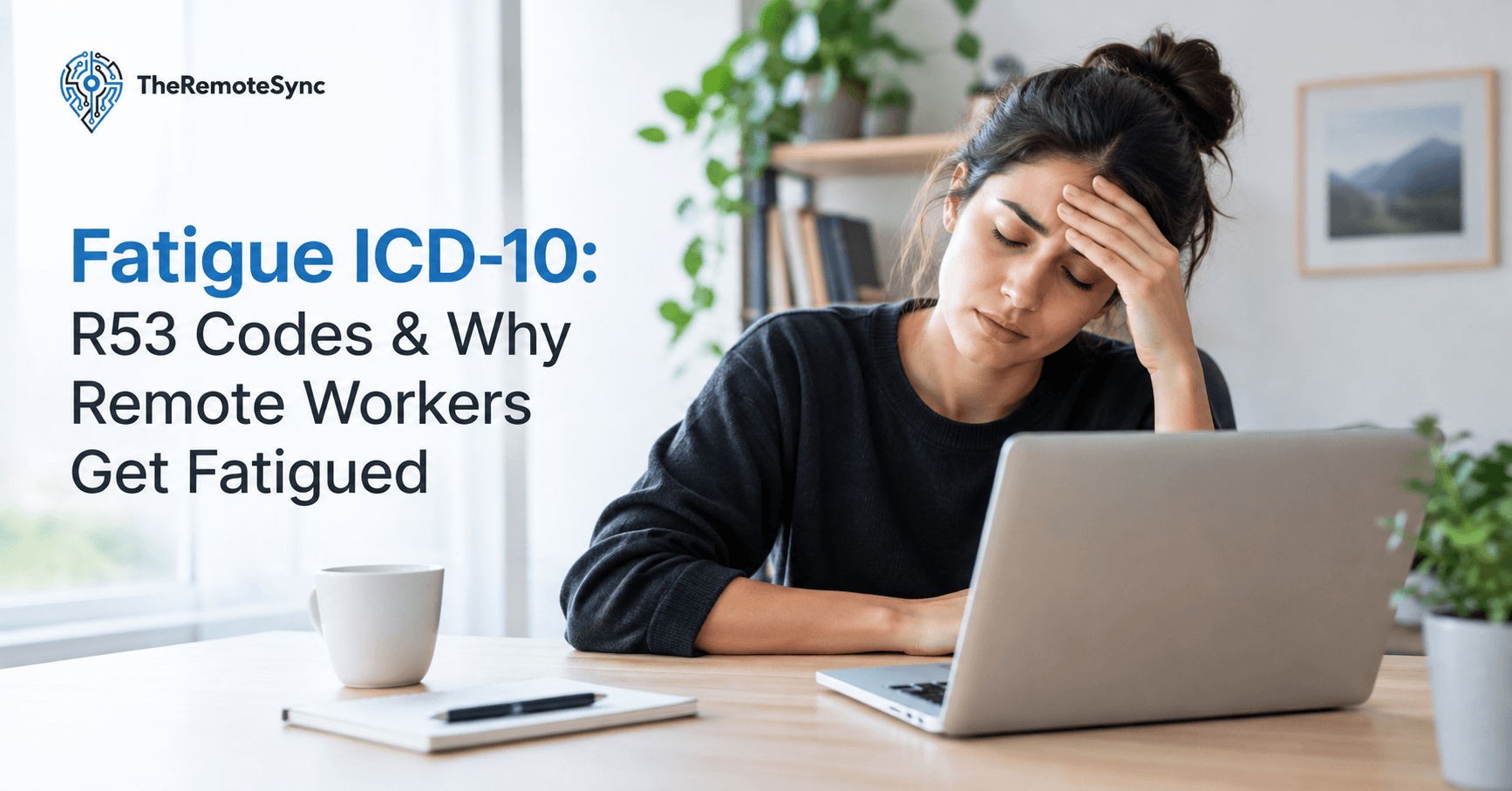
By 2 p.m., your eyes feel dry. Your neck is stiff. You already had two coffees, and you still want a nap. You type “fatigue ICD 10” into Google because your doctor mentioned a code, or because you just want to know if what you’re feeling has a name.
It does. And once you understand what that code actually covers, you’ll see why remote work is quietly one of the biggest drivers of it.
This article gives you the exact codes first, since that’s what most people searching this term actually need. Then it walks through the part almost nobody covers: why remote work causes so much of this fatigue in the first place, and what you can do about it starting today.
What Is the Fatigue ICD 10
The main ICD-10 code for fatigue is R53.83. Doctors use this code when a patient reports ongoing tiredness that is not tied to one clear diagnosis yet.
R53.83 falls under a wider group of codes called R53, which covers malaise and fatigue in general. Here is the short list you actually need:
- R53 is the parent category. It covers malaise and fatigue as a general group, not one specific code you would bill with on its own.
- R53.83 is “other fatigue.” This is the one most doctors use for plain, unexplained tiredness.
- R53.82 is chronic fatigue, unspecified. This is used when tiredness has lasted a long time but does not meet the criteria for a named syndrome.
- R53.81 is other malaise. This covers general unwellness that isn’t quite fatigue and isn’t quite anything else.
- R53.1 is weakness. This is physical weakness, not just tiredness.
- R53.0 is neoplastic related fatigue. This is used for fatigue tied to cancer or cancer treatment.
- G93.3 is myalgic encephalomyelitis, also called chronic fatigue syndrome. This is a separate, named condition, not a general fatigue code.
You can look up the full, current code set on the official ICD-10-CM index if you want to see exact billing rules.
Is Fatigue a Billable ICD-10 Code
Yes. R53.83 is billable. So are R53.82, R53.81, R53.1, R53.0, and G93.3. The parent code R53 by itself is not billable. It’s a header, not a specific enough diagnosis for a claim. Insurance systems need that extra digit of detail before they’ll process a claim against it.
What Is the Difference Between R53.82 and R53.83
R53.82 is used for chronic fatigue that has lasted a while but has no clear cause yet. R53.83 is the broader, more common code for fatigue in general, whether it’s been going on for two days or two months. If a doctor isn’t sure yet, R53.83 usually gets used first, and it may get switched to R53.82 later if the tiredness sticks around without a clear cause.
What Is the ICD-10 Code for Other Malaise and Fatigue
That’s R53.81. It’s used when a patient reports general unwellness that doesn’t fit neatly into a fatigue diagnosis or another named condition. Think of it as the code doctors reach for when a patient says “I just feel off” more than “I feel tired.”
What Is the ICD-10 Code for Overtiredness
There is no separate code just for the word “overtired.” Doctors use R53.83 here too, since overtiredness and fatigue are treated as the same thing in the coding system. The word choice doesn’t change the billing code.
What Is the ICD-10 Code for Leg Fatigue
Leg fatigue on its own usually gets coded as R53.1 (weakness) or, if it’s muscle specific, M62.81 (generalized muscle weakness). There isn’t a code that says “leg” and “fatigue” together as one term. A doctor will pick whichever code matches what’s actually causing the tiredness in the leg.
How Do You Code Chronic Fatigue Syndrome in ICD-10
Chronic fatigue syndrome, also called myalgic encephalomyelitis, is coded as G93.3. This is different from R53.82. G93.3 is only used when a patient meets the specific clinical criteria for the syndrome, not just general tiredness that hasn’t gone away yet.
How Doctors Actually Use the Fatigue Code
Knowing the code matters for a reason beyond curiosity. When you walk into an appointment and describe ongoing tiredness, your doctor has to pick a code to file the visit. That code shapes what happens next.
- It sets the paper trail. If your fatigue is coded and tracked over several visits, it becomes easier to prove a pattern instead of one bad week.
- It supports further testing. A logged fatigue diagnosis can justify blood work, a sleep study, or a referral, since insurance often wants a documented reason before approving tests.
- It separates you from a vague complaint. “I’m tired” is easy to dismiss. A coded, recurring diagnosis is not.
This is exactly why the ICD-10 lookup matters for regular people, not just billing staff. If your fatigue keeps coming back, knowing the right language to use with your doctor gets you taken seriously faster.
Why Remote Workers Get Fatigued
Here’s the part most coding articles skip entirely. Fatigue isn’t just a mystery symptom. For a huge share of remote workers, it has a very specific, very fixable cause: how you’re working, not some hidden illness.
Remote employees now spend close to 13 hours a day, on average, staring at screens, and 43% of remote workers have left work early because of vision problems. That’s not a small effect. That’s most of a workday spent in a way your eyes and body were never built for.
Three things stack up at once when you work from home:
- No commute means no screen break. Office workers get a forced pause walking to a car or a train. Remote workers roll straight from bed to laptop, often checking email before they’ve even had coffee.
- Bad lighting is everywhere. Kitchen tables and bedrooms are not built for screen work. Glare and dim rooms force your eyes to work harder without you noticing it happening.
- Boundaries disappear. Hybrid and WFH schedules blur into evenings, which means more total screen hours per day, not just more work hours.
None of this shows up on a single bad day. It builds slowly, which is exactly why so many remote workers end up searching for a medical explanation before they think to check their desk setup.
Hybrid Work vs. Fully Remote: Different Fatigue Patterns
Hybrid work doesn’t automatically fix this, and it can sometimes make things worse in a different way.
- Fully remote workers tend to have one bad setup they sit in every day. The fatigue is steady and predictable, and once you fix the setup, it usually improves fast.
- Hybrid workers often deal with two different setups: a proper office desk a few days a week, and a laptop-on-the-couch situation the rest of the time. That inconsistency means your body never fully adjusts to either one.
- Commute days add their own fatigue. Hybrid workers lose the “no commute” benefit on office days but keep the long screen hours on remote days, stacking both problems on top of each other across a single week.
If you’re hybrid, the fix isn’t just improving your home desk. It’s making sure both setups meet the same basic standard, so your body isn’t relearning posture and lighting twice a week.
Common Symptoms of Fatigue in Remote Workers
If you’re a remote worker, this list will probably sound familiar:
- Tired eyes or dry eyes. This shows up first, usually by mid-afternoon, and gets worse the longer you stare without blinking.
- Headache, often starting behind the eyes or across the forehead, especially after long video calls.
- Neck and shoulder pain, from leaning toward a laptop screen for hours at a stretch.
- General tiredness that doesn’t go away with sleep, even on nights you go to bed early.
- Trouble focusing, especially late in the day, when small tasks start to feel harder than they should.
Digital Eye Strain and Computer Vision Syndrome Explained
Digital eye strain, also called computer vision syndrome, is the medical term for eye and body symptoms caused by long screen use. A major clinical review found symptoms affect anywhere from 5 to 65% of screen users, with rates as high as 50 to 60% in some groups since screen time jumped during widespread remote shifts. Symptoms include dry eyes, blurred vision, headache, stiff neck, general fatigue, and back pain.
This matters because eye strain isn’t just an eye problem. It causes body-wide symptoms, including the fatigue you might be Googling an ICD-10 code for. Your eyes and your energy levels are more connected than most people realize.
Why It Gets Worse the Longer You Ignore It
Digital eye strain rarely stays the same size. Left alone, it tends to grow:
- Week one usually means mild dryness and occasional headaches by evening.
- A few months in, headaches start earlier in the day, and dry eyes become a constant background feeling rather than an occasional one.
- Long term, some people develop light sensitivity and trouble focusing on printed text, not just screens, because the eye muscles stay in a tightened state even at rest.
Catching this early is far easier than reversing it once your body has adapted to a bad routine.
Why Working From Home Causes Eye Strain
A few specific setup problems cause most of it:
- Screens too close. Most people read at a much closer distance on a laptop than they ever did with a book or desktop monitor, which forces the eye’s focusing muscles to work harder for hours straight.
- Poor lighting. Working in a dim room with only your screen lit up forces your pupils to work overtime adjusting between the bright screen and the dark background.
- Low blink rate. People blink less when focused on a screen, sometimes by half, which dries out the eyes fast and leads to that gritty, tired feeling by afternoon.
- No separate monitor. A single laptop screen means bad posture and a smaller viewing area, both of which increase strain compared to a proper external display set at the right height and distance.
Can Eye Strain Cause Fatigue and Headaches
Yes, directly. Eye strain forces the small muscles around your eyes to work harder for hours at a time. That effort uses real energy, and it triggers tension that spreads into headaches and general tiredness. This is one of the most under-diagnosed causes of “unexplained” fatigue in remote workers, because most people never connect their eyes to how exhausted they feel by the end of the day.
Neck and Shoulder Pain From Remote Work Setups
Neck and shoulder pain almost always comes from one thing: your screen is too low. When a monitor sits below eye level, which happens with almost every laptop used without a stand, your neck bends forward for hours. That posture, held all day, leads to stiff shoulders and tension headaches by evening.
This kind of pain often gets blamed on stress or sleeping wrong, when the real cause is sitting a few feet away, in the exact chair you’re using right now.
- Forward head posture adds real weight to your neck. For every inch your head tilts forward, the effective weight your neck muscles support roughly doubles.
- Rounded shoulders develop from reaching forward toward a laptop keyboard instead of resting your arms at a natural angle.
- Shallow breathing often follows, since a hunched posture compresses your chest slightly, which can add to that generally worn-out feeling by the end of the day.
How to Tell If It’s Your Setup or Something Else
Before assuming fatigue needs a medical answer, it’s worth ruling out your environment first. Try this for one week:
- Track when the tiredness hits. If it’s always mid-afternoon after hours at your screen, that’s a strong setup signal, not an illness pattern.
- Notice if it eases on weekends. Fatigue that improves significantly when you’re away from your desk points to your setup, not your health.
- Check if it comes with eye or neck symptoms. Fatigue paired with dry eyes and a stiff neck almost always traces back to screen habits rather than something deeper.
- Change one thing and watch for 3 to 5 days. Raise your monitor, or fix your lighting, and give your body time to respond before changing anything else.
If none of that moves the needle after a few weeks of real changes, that’s your signal to bring it to a doctor, armed with the language from earlier in this article.
How to Reduce Fatigue From Working From Home
This is the part that actually fixes things, not just names them.
Fix Your WFH Setup First
Before anything else, fix these three things:
- Raise your monitor to eye level. The top of your screen should be at or just below eye height. This alone fixes most neck pain within a week.
- Sit at arm’s length from your screen. Roughly 20 to 28 inches away is the sweet spot for most people, close enough to read comfortably without leaning in.
- Add a real light source. A desk lamp or better window light reduces the contrast between your bright screen and a dark room, which is one of the fastest ways to cut eye strain.
Blue Light and Screen Habits
- Use a glare filter on your laptop if you work near a window or under overhead lights. It costs very little and cuts a real source of eye strain that most people never notice they have.
- Consider blue light glasses if you work evenings under artificial light. They won’t fix a bad setup, but they help on top of a good one, especially if your work hours run late.
- Adjust your screen brightness to match the room, not to full blast by default. Your screen should look about as bright as the wall behind it, not brighter.
Simple Habit Changes That Actually Work
- Follow the 20-20-20 rule. Every 20 minutes, look at something 20 feet away for 20 seconds. This is the single most effective free fix for eye strain, and it takes no equipment at all.
- Blink on purpose. Set a habit of blinking fully every few minutes during focused work, since screen focus naturally slows your blink rate without you noticing.
- Stand up every hour. Even two minutes of standing resets your posture and blood flow, and it breaks the forward-head position that builds up neck strain.
- Set a hard stop time. Especially for hybrid and remote workers, a clear end to the workday prevents the screen hours from quietly stretching into your evening.
Building an Anti-Fatigue Home Office
If you’re ready to invest a little money, here’s where it counts most:
- Ergonomic monitor setup under $100. A basic monitor arm or stand, paired with your eyes at the top-third of the screen, fixes most posture-driven fatigue for a low cost. This is usually the single best dollar-for-dollar fix available.
- Anti-fatigue lighting for your home office. A daylight-balanced desk lamp, around 4000 to 5000K, reduces eye strain far more than a warm bedside lamp ever will, since it more closely matches natural daylight.
- Screen glare filter for your laptop. A matte filter is a five-minute fix for anyone working near natural light, and it noticeably cuts the squinting that builds into headaches.
- Best blue light glasses for remote workers. Look for ones with a light amber tint rather than clear lenses marketed as “blue light blocking,” since clear lenses filter very little of the light that actually affects your sleep and eye comfort.
- A supportive chair, even a basic one. You don’t need a premium ergonomic chair. You need one that keeps your hips slightly above your knees and lets your back stay upright without you constantly correcting it.
None of these need to happen all at once. Fix the free things first: monitor height, lighting, and breaks. Add the small purchases only once you’ve confirmed the free fixes aren’t enough on their own.
What I Wish I Knew Sooner
After years of remote work, the pattern is always the same. Fatigue gets blamed on stress, poor sleep, or “just getting older,” when the real cause is sitting three feet away the entire time. The single biggest shift wasn’t a supplement or a new sleep routine. It was raising a monitor eight inches and turning on a real lamp instead of working by screen glow alone.
The second biggest shift was simply naming the pattern. Once you can say “this is digital eye strain, not a mystery illness,” it stops feeling like something is wrong with you and starts feeling like something you can actually fix.
When Fatigue Might Be More Than Your Setup
If you fix your setup, take real breaks, and you’re still exhausted every day, that’s the point to talk to a doctor. Persistent fatigue that doesn’t respond to lifestyle changes is exactly what R53.83 or R53.82 exists to document. This is where knowing the code actually helps you: it lets your doctor track and treat something ongoing, instead of writing it off as “just work.”
Bring specifics to that appointment. Instead of “I’m tired,” try “I’ve had ongoing fatigue for six weeks, it doesn’t improve on weekends, and I’ve already changed my desk setup and sleep schedule.” That kind of detail moves you toward the right code, and the right next step, much faster.
Frequently Asked Questions
What is the ICD-10 code for fatigue?
R53.83 is the main code used for general, unexplained fatigue.
Is fatigue a billable ICD-10 code?
Yes. R53.83 and most of its related codes are billable, though the general R53 header code is not.
What is the difference between R53.82 and R53.83?
R53.82 is specifically for chronic, unspecified fatigue. R53.83 is the broader code used for fatigue in general.
What is the ICD-10 code for overtiredness?
There’s no separate code for overtiredness. It falls under R53.83, the same as general fatigue.
What is the ICD-10 code for leg fatigue?
Leg fatigue is usually coded as R53.1 (weakness) or M62.81 if it’s muscle specific.
What is the ICD-10 code for other malaise and fatigue?
That’s R53.81, used for general unwellness that doesn’t fit a more specific code.
How do you code chronic fatigue syndrome in ICD-10?
Chronic fatigue syndrome is coded as G93.3, separate from the general R53 fatigue codes.
What are common symptoms of fatigue?
Common symptoms include ongoing tiredness, low energy, trouble focusing, headaches, and in remote workers specifically, eye strain and neck or shoulder pain from screen-heavy days.
Can eye strain cause fatigue and headaches?
Yes. Eye strain forces your eye muscles to overwork for hours, and that effort commonly leads to both headaches and general body fatigue.
Why does working from home cause eye strain?
Home setups often have poor lighting, screens placed too close, and far longer daily screen time than office jobs, all of which combine to cause more eye strain than in-office work.
Conclusion
You don’t need a doctor’s note to start fixing this. Pick one thing from this article today: raise your monitor, add a lamp, or set a 20-20-20 timer on your phone. Do that for one week before you assume your fatigue needs a diagnosis. Most remote workers fix half their symptoms just by fixing their setup.