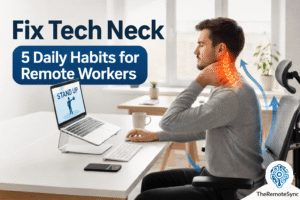
Your neck doesn’t hurt because you’re weak or out of shape. It hurts because your head has been sitting two inches too far forward for the last several years, and your muscles have been quietly compensating for it the whole time.
Tech neck isn’t just soreness. It’s a structural problem. And if you’re working from home without a proper setup, you’re almost certainly making it worse every single day, even if you’ve already started stretching.
This guide covers the full picture: how to get rid of tech neck, why it happens, which exercises actually move the needle, how your workspace is probably contributing, and what a realistic recovery timeline looks like.
What Tech Neck Actually Does to Your Body
Your head weighs about 10 to 12 pounds when it’s stacked directly over your spine. The moment it shifts forward, even slightly, the effective load on your neck increases dramatically.
Research published in Surgical Technology International found that at just 15 degrees of forward tilt, the load on the cervical spine jumps to roughly 27 pounds. At 60 degrees, which is a pretty typical phone-scrolling position, it reaches about 60 pounds.
That’s not a metaphor. That’s the actual mechanical stress being placed on your muscles, discs, and joints for hours at a stretch.
The result is cervical kyphosis: the natural inward curve of your neck starts to flatten or reverse. Over time, the muscles at the back of your neck become chronically shortened, the muscles in your chest tighten, and the muscles between your shoulder blades get stretched and weak from constantly being pulled forward.
By the time most people notice the pain, this pattern has been building for months or years.
Symptoms That Tell You It’s More Than Just Stiffness
Most people dismiss early tech neck as “just tension.” These signs tell you it’s progressed further:
- Neck pain that gets worse after looking down at a laptop or phone for more than 20-30 minutes
- Stiffness between the shoulder blades that doesn’t go away after sleeping
- Headaches that start at the base of the skull and move up toward the crown
- Limited rotation: you can’t turn your head fully left or right without discomfort
- Numbness or tingling in your arms or fingers (this signals nerve involvement and warrants a physio visit)
- Dizziness after long sessions, caused by muscle tension compressing blood vessels in the neck
The jaw connection catches people off guard: the muscles around your neck and jaw are linked, so chronic tech neck can contribute to jaw tension and even teeth grinding at night.
If you’re also noticing a visible bump at the base of your neck, that’s covered separately in our guide on the tech neck hump.
The Exercises That Actually Help (And Why Most People Do Them Wrong)
Stretching feels good in the moment. The problem is that stretching alone doesn’t fix the underlying weakness. Tech neck is partly a strength problem: the deep cervical flexors (the muscles that hold your head properly over your spine) are underused and weak. You need to both stretch the tight areas and strengthen the weak ones.
Here are the four movements worth doing consistently:
Chin Tucks
This is the most important one. It directly targets the deep neck flexors and re-trains the position your head sits in.
Sit or stand upright. Without tilting your head up or down, pull your chin straight back as if you’re trying to make a double chin. You should feel a stretch at the base of your skull, not in your throat. Hold for 5 seconds, release, and repeat 10 times.
Most people do this wrong by tucking the chin downward. Keep your gaze level. The movement is purely horizontal.
Do this every hour at your desk. It takes 60 seconds, and it’s the single highest-return habit in this entire article.
Upper Trapezius Stretch
This targets the thick band of muscle running from your neck to your shoulder, which is usually the source of that rope-like tension you can feel when you press on it.
Sit on your right hand, palm facing down, to anchor the shoulder. Tilt your left ear toward your left shoulder. Once you feel the stretch, use your left hand to gently add a small amount of extra pressure. Hold for 20-30 seconds. Switch sides.
The key is anchoring the shoulder. Without that, the shoulder rises to meet the ear, and you lose most of the stretch.
Doorway Chest Stretch
Tech neck almost always comes with rounded shoulders. The pectoral muscles shorten and pull the shoulders forward, which makes it nearly impossible to hold your head in the right position, regardless of how much you stretch your neck.
Stand in a doorway with your forearms on the frame, elbows at shoulder height. Lean forward until you feel a stretch across your chest, not your shoulders. Hold for 30 seconds.
If you skip this one and only work on the neck, you’re fighting the problem from one side.
Thoracic Extension Over a Foam Roller
The upper back (thoracic spine) loses mobility when you sit hunched for long periods. When it stiffens, your lower neck has to compensate and takes on more stress than it’s designed for.
Lie on the floor with a foam roller placed horizontally under your upper back, roughly at shoulder blade level. Support your head with your hands. Gently extend back over the roller. Hold each segment for 10-15 seconds, then move the roller up or down slightly. Work through the full upper back.
This one feels dramatic at first. After a week of consistency, the difference in shoulder and neck mobility is noticeable.
For a more structured approach to these movements, the full tech neck exercises guide goes deeper on sets, frequency, and progressions.
Why Your Desk Setup Is Undoing Your Progress
Here’s the part most people skip: if you spend 10 minutes stretching and then go back to the same setup that caused the problem, you’re going backwards. The exercises manage the symptoms. The ergonomics prevent them from returning.
Monitor Height
The single most common mistake is a screen that sits too low. When your monitor is below eye level, your head drops forward by default, all day, regardless of how aware of your posture you are.
The top of your screen should be at or just below eye level. For a desktop monitor, a monitor arm gives you precise adjustment. For a laptop, a dedicated laptop stand is non-negotiable because a laptop sitting flat on a desk puts your screen about 8-10 inches too low. Once you raise the laptop, you’ll need an external keyboard and mouse to keep your arms in the right position.
Elbow and Desk Height
Your elbows should sit at roughly 90 degrees when your hands are on the keyboard, forearms roughly parallel to the floor. If your desk is too high, you’ll shrug your shoulders to type, which loads the trapezius continuously. Adjust your chair first. If your feet don’t reach the floor, use a footrest.
Chair Setup
You don’t need an expensive chair to sit well, but you do need lumbar support. Without it, your lower back rounds, which causes your upper back to round, which pushes your head forward. It’s a chain reaction that starts at the base of your spine.
If you’re in the market, the best chairs for tech neck guide covers options across different price points. The key fit criteria: feet flat on the floor, hips fully back in the seat, lumbar support contacting your lower back without pushing you into an exaggerated arch.
For more on sitting position overall, the best sitting posture for lower back pain article applies directly here, too.
Sitting vs. Standing
Standing desks help, but alternating is what matters. Standing all day creates its own problems, particularly for the lower back and feet. The practical rhythm that works: sit for 45-50 minutes, stand for 10-15 minutes, repeat. The point of standing isn’t to stand longer; it’s to break up the pattern so no single position accumulates too much time.
Who Tech Neck Actually Shows Up In
This isn’t limited to remote workers. It shows up anywhere someone spends extended time looking down at a screen:
- Office workers using laptops and computers for hours on end without many breaks
- Gamers, particularly on setups where the monitor sits lower than a work desk
- Students, from hours of laptop-based coursework combined with phone use between classes
- Anyone who transitioned from an office to home setup and lost the ergonomic equipment (proper monitor, chair, desk height) that came with it by default
If more than one of these applies to you, the workspace fixes above matter even more than the exercises.
How Long Does It Actually Take to Fix Tech Neck?
This depends entirely on how long the pattern has been in place and how consistent you are.
For mild cases (pain that’s been present for weeks rather than years), regular exercise and an ergonomic correction can produce noticeable improvement in 3-6 weeks.
For more established cases, you’re looking at 3 to 6 months of consistent work. The structural changes that happen over the years don’t reverse in a week. What you’ll notice first is reduced daily pain. Mobility and posture improvements come later.
One thing that slows people down: they do the exercises for two weeks, feel better, and stop. The pain returns within days because the underlying weakness hasn’t been fully addressed. The exercises need to become maintenance, not a one-time fix.
If you want to know whether your specific case is reversible, the can tech neck be reversed article covers the factors that determine prognosis.
A Practical Daily Routine
This doesn’t require a gym or extra equipment. It’s designed to fit into a normal remote workday:
Morning, before you start: 10 chin tucks, 1 doorway chest stretch (30 seconds)
Every hour at your desk: 10 chin tucks (60 seconds, do them while reading)
Midday break: Upper trapezius stretch, both sides
End of workday: 3-5 minutes of foam rolling the upper back
The total time is about 10-12 minutes across the day. The consistency is what produces results, not the duration.
Frequently Asked Questions
Is tech neck permanent?
In most cases, no. Early-stage tech neck responds well to exercise and setup changes. Long-standing cases with disc or bone changes are harder to fully reverse but can still be significantly improved.
How long does it take to fix tech neck?
It depends on how long you have had it.
Mild cases: You might feel relief in 2 to 4 weeks.
Severe cases: It might take 3 to 6 months of consistent work.
Consistency is key: You cannot fix 5 years of bad posture in 5 minutes.
Can tech neck cause dizziness?
Yes. Tight suboccipital muscles at the base of the skull can reduce blood flow and compress nerves, causing lightheadedness, particularly after long sessions looking at a screen.
Can I get rid of tech neck lines?
The horizontal creases on the neck are caused by skin repeatedly folding in the same place. Improving your posture stops them from deepening. Hydration and moisturizer help with the skin itself, but posture correction is the primary fix.
When should I see a professional?
If you have numbness or tingling in your arms or hands, pain that radiates down your arm, or severe headaches that don’t improve with rest, see a physiotherapist. These can indicate nerve compression that needs proper assessment.
How to get rid of tech neck?
Fix two things first: raise your screen to eye level and do 10 chin tucks a day. From there, add the upper trapezius stretch, doorway chest stretch, and thoracic extension to rebuild the strength and mobility that forward head posture erodes. Mild cases improve in 2 to 4 weeks, established cases take 3 to 6 months of consistent work.
Does tech neck cause double chin?
Forward head posture can make a double chin more noticeable, since tilting your head forward compresses the skin and soft tissue under the jaw and changes how the neck and chin line appear. It’s a positional effect rather than actual fat gain, and correcting your head position, especially with chin tucks, tends to reduce that appearance over time.
The Short Version
Tech neck is a mechanical problem caused by your head sitting too far forward for too long. Exercises fix the immediate pain and rebuild the strength to hold a better posture. Your workspace determines whether the problem keeps coming back.
Start with two things today: raise your screen to eye level, and do 10 chin tucks. Those two changes alone will do more than most people’s entire stretching routine.