If you’ve ever stood up after a long work session and felt that immediate pull in your lower back, you already know the answer.
Can sitting cause lower back pain? Yes, but what most articles miss is this: it’s rarely the sitting alone. It’s the specific chain of mechanical failures that happen inside your body when you sit badly, for too long, without recovery.
This matters because fixing the wrong thing wastes months. People buy expensive chairs and still hurt. They start standing more and still hurt. The problem is usually upstream of where they feel it.
Here’s what’s actually happening, and what actually fixes it.
Why Sitting Hurts Your Lower Back
Your spine has a natural S-curve when you’re standing. It distributes load efficiently, keeps your discs healthy, and lets your muscles share the work.
The moment you sit down, that curve starts to break down.
Your pelvis tilts backward. Your lumbar spine flattens. The discs between your vertebrae, which are designed to handle evenly distributed pressure, start absorbing load at an angle. Research published in Spine journal found that intradiscal pressure in the lumbar spine is significantly higher during sitting than standing, and spikes further when you lean forward or slouch.
Over an eight-hour workday, that sustained, uneven pressure is what causes the ache you feel by late afternoon.
Your Muscles Are Making It Worse
This is the part most people don’t consider.
When you sit for hours every day, your hip flexors (the muscles connecting your thighs to your spine at the front) are held in a shortened position. Over weeks, they tighten and stay that way. When you stand up, those tight muscles pull your pelvis forward and exaggerate the arch in your lower back. That’s anterior pelvic tilt, and it’s one of the most common hidden drivers of chronic lower back pain in remote workers.
At the same time, your glutes go offline. They’re not being used, so the body stops recruiting them. Without functional glutes, your lower back muscles have to compensate for every movement. They weren’t built for that load, and they let you know about it.
The result: tight hip flexors pulling from the front, weak glutes failing to support from behind, and a lower back caught in the middle doing the work of three muscle groups.
How Remote Work Makes This Worse Than a Regular Office Job
In a traditional office, you had built-in movement: walking to the parking lot, taking the stairs, going to a meeting room, grabbing lunch. None of it felt like exercise, but it was enough to reset your posture several times a day.
Working from home removes almost all of that. Your commute is 15 steps. Lunch is in the kitchen. Meetings are on a screen. You can go an entire workday without walking more than a couple of hundred steps.
That lack of incidental movement is significant. Your spinal discs don’t have a direct blood supply. They get nutrients through a process called imbibition, which basically means they absorb fluid when you move and compress when you’re still. Sitting for six or seven hours straight starves your discs of the circulation they need to stay healthy.
The other compounding factor is your screen setup. Most home offices weren’t designed. They were assembled from whatever was available. If your monitor is too low (which it usually is, especially on a laptop), you’re reading with your head tilted slightly forward all day. That forward head posture rounds your upper back, which then forces your lower back to compensate.
This is why neck pain and lower back pain tend to show up together in remote workers. They’re part of the same postural chain. If you’re dealing with both, our guide on tech neck exercises covers the neck end of that problem specifically.
5 Fixes That Actually Work
These aren’t generic tips. They’re ordered by impact, starting with the changes that produce the most relief the fastest.
1. Fix Your Hip Flexors Before Anything Else
If you only do one thing on this list, do this.
At some point during your workday, get on the floor and do a standing hip flexor stretch. Kneel on one knee, push your hips forward gently, and hold for 30 seconds per side. Do this twice a day.
You’ll notice your lower back feels less compressed when you sit down afterward. That’s not a placebo. You’ve temporarily lengthened the muscles that were pulling your spine forward.
Pair this with glute activation. A simple move: lie on your back with knees bent, push through your heels, and squeeze your glutes as you lift your hips. Hold for two seconds at the top. Ten reps. This starts rebuilding the muscle pattern that sitting has switched off. Our posture-correcting workouts article has a more complete routine if you want to go further.
2. Set Up Your Chair to Open Your Hip Angle
Most people set their chairs too low. The standard advice is thighs parallel to the floor, but for lower back pain specifically, raising your seat height slightly so your hips sit just above your knee level makes a real difference.
This opens the hip angle past 90 degrees, which reduces the pull on your hip flexors while you sit.
Beyond that:
- Lumbar support should sit in the curve of your lower back, not at your mid-back. If your chair’s lumbar pad can’t be positioned correctly, a rolled towel or a separate lumbar cushion placed at belt height works.
- Seat depth should leave two to three fingers of space between the edge of the seat and the back of your knees. If you’re pressed against the seat pan, it cuts off circulation and forces you to slide forward, which defeats the lumbar support entirely.
- Recline slightly. Locking your backrest rigid keeps your spine in a static load position all day. A slight backward recline distributes the load across the chair back rather than concentrating it in your discs.
If you’re looking at chair options, our best chair for tech neck guide focuses on chairs that address the full upper-body postural chain, not just lumbar support in isolation.
3. Find Your Actual Neutral Spine (Not the Upright You’re Imagining)
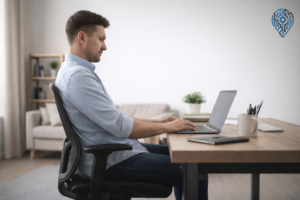
When most people try to “sit up straight,” they overcorrect. They force their lower back into an exaggerated arch, which is just as problematic as slouching. Neutral spine is the middle point.
Here’s how to find it: Sit at the front edge of your chair. Slouch completely, rounding your lower back. Then arch as far the other way as you can. Now release about 20% of that arch. That middle position is your neutral spine.
It should feel like relatively low effort to maintain. If you’re straining to hold it, you’ve overcorrected. The article on the best sitting posture for lower back pain goes into more detail on the specifics of positioning at different desk heights.
The practical cue that works: imagine your chest being lifted slightly upward. This naturally aligns the spine without forcing the lower back to overwork.
4. Raise Your Monitor
If you’re on a laptop sitting flat on your desk, your head is tilted down all day. Even a 15-degree downward tilt significantly increases the effective weight load on your cervical spine, which then pulls your upper back into a forward curve, which shifts the load to your lower back.
The fix is simple but non-negotiable: the top third of your monitor should be at eye level when you’re sitting in your normal working position. For laptop users, this means a laptop stand or a monitor with an external keyboard. You cannot fix your lower back while your head is angled down at a screen that sits at desk height.
A laptop stand for desk is one of the highest-ROI ergonomic purchases for this specific problem, because it addresses the root of the postural chain rather than just treating the symptom.
5. Break Sitting Into Segments
You don’t need a standing desk to get the benefit of not sitting continuously. You need a trigger to move.
The ratio that comes up consistently in ergonomics guidance: 45–50 minutes seated, 10–15 minutes of position change. That doesn’t mean standing perfectly still at a standing desk. It means a genuine position change: standing, walking to get water, doing a few minutes of movement.
A simple system that works in practice: use a 45-minute work block (similar to a Pomodoro, but longer). When the timer ends, stand up and do your hip flexor stretch before sitting back down. You’re addressing the exact mechanism that causes the pain, every single cycle.
If you want a software prompt, apps like Stretchly or the built-in Break Reminder in certain operating systems work well. The key is that the break has to include physical movement, not just switching to your phone.
When the Pain Isn’t Just Posture
If you’re doing all of the above and still experiencing significant lower back pain, particularly if it radiates down one leg, is sharp rather than dull, or doesn’t improve with movement, that’s beyond a postural issue. Sciatica, disc herniation, and other structural problems can be triggered and worsened by prolonged sitting, but they require a physiotherapist or physician to assess properly.
The fixes above work well for the dull, chronic, “end of day” lower back pain that most remote workers experience. They won’t resolve a herniated disc.
The Actual Priority Order
Most lower back pain articles tell you to buy better equipment first. The order of impact is actually:
- Stretch your hip flexors and activate your glutes daily
- Fix your monitor height
- Adjust your chair setup
- Build movement breaks into your schedule
- Learn your neutral spine
The first two cost nothing and produce noticeable results within a few days. Start there before spending money on anything else.
Frequently Asked Questions
Why sitting straight hurts?
Sitting straight often means overcorrecting into an exaggerated arch, which loads the lower back almost as much as slouching does. Most people imagine “sitting straight” as rigid and upright, but that’s not neutral spine. It just moves the strain from one part of your back to another.
What to do if your lower back hurts from sitting?
Start with a hip flexor stretch. Kneel on one knee, push your hips forward gently, and hold for 30 seconds per side, twice a day. This is the single highest-impact fix because it directly loosens the muscles pulling your pelvis and spine out of alignment.
What kind of back pain gets worse with sitting?
Dull, chronic, end-of-day back pain that builds gradually is typical of postural sitting issues. Pain that’s sharp rather than dull, radiates down one leg, or doesn’t improve with movement points to something beyond posture, like sciatica or a disc issue, and needs a physiotherapist or physician to assess.
Should I avoid sitting if I have lower back pain?
No, but you should avoid sitting continuously. Break sitting into 45 to 50 minute blocks followed by 10 to 15 minutes of real position change, like standing, walking, or stretching. Complete avoidance isn’t necessary. Consistent movement is what actually reduces the pain.
How do I tell if my lower back pain is serious?
It’s likely more than a postural issue if the pain radiates down one leg, feels sharp rather than dull, or doesn’t change no matter how you move or sit. Ordinary sitting-related back pain tends to be dull and builds through the day. Sharp, radiating, or persistent pain warrants a physiotherapist or physician.
How to fix lower back pain from sitting?
Work through it in priority order: stretch your hip flexors and activate your glutes daily, raise your monitor to eye level, adjust your chair so your hips sit slightly above knee level, and build in movement breaks every 45 to 50 minutes. The first two cost nothing and show results within days.
Why does my lower back hurt when I get up from sitting?
This is usually tight hip flexors at work. Hours of sitting hold your hip flexors in a shortened position, and when you stand, they pull your pelvis forward and exaggerate the arch in your lower back. That sudden pull is what you feel as the sharp twinge right when you get up.
Further reading: If you’re dealing with wrist pain alongside lower back issues, it’s often part of the same setup problem. Our guide on how to relieve wrist pain covers the desk setup side of that.