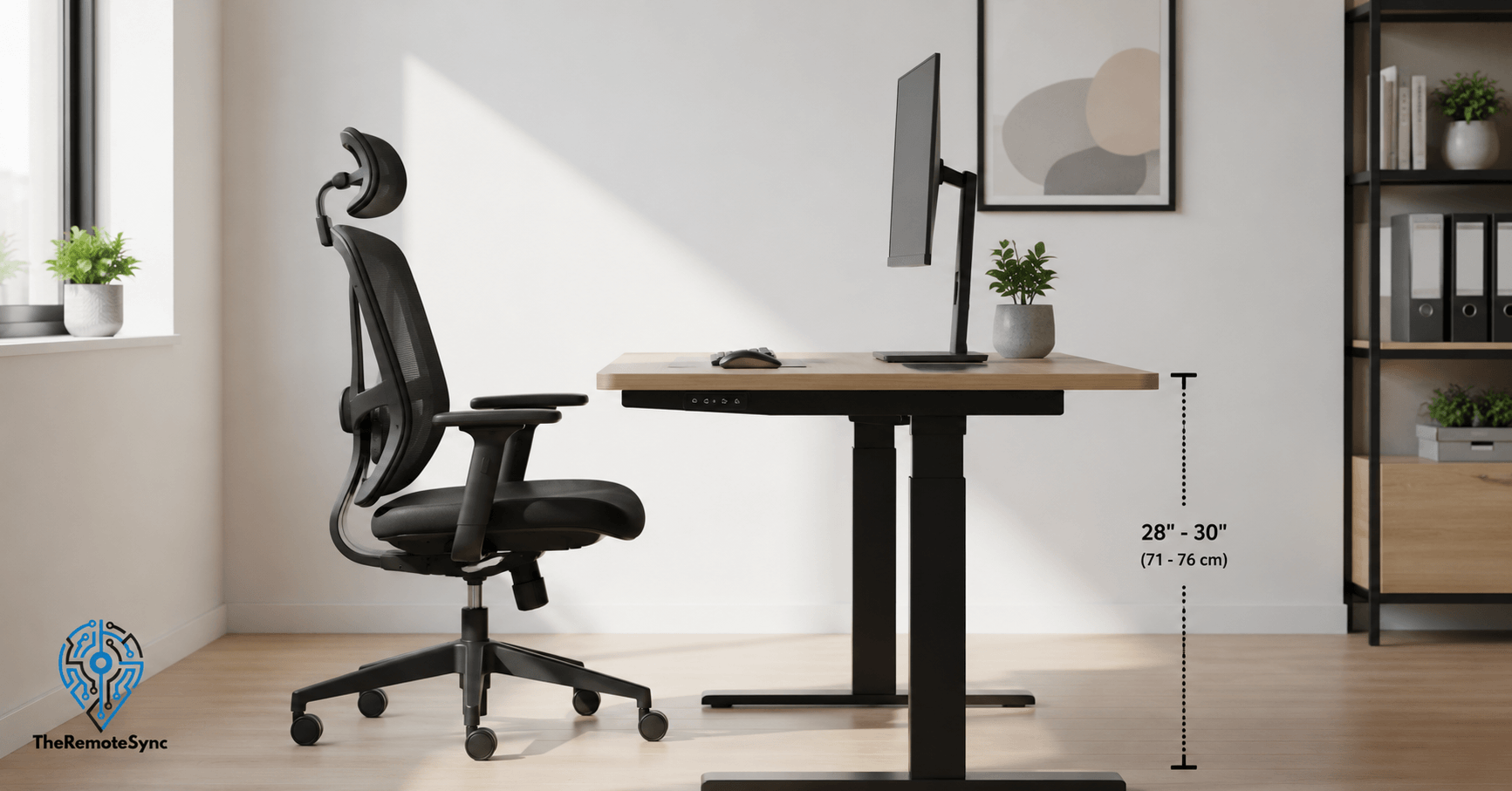
Most desks sold today are built to a standard height of 28 to 30 inches. That number comes from mid-20th-century office furniture design, built around the average American male of that era. If you are not a 5’10” man, there is a good chance that the standard is quietly working against you.
For remote workers especially, this matters more than it did in a traditional office. You are sitting at that desk for 6, 8, sometimes 10 hours a day. A few inches off in either direction adds up fast, in the form of shoulder tension, wrist strain, and lower back pain that feels unrelated to your desk until you finally adjust it and the pain disappears.
This article breaks down what the normal desk height actually means, how to find the right height for your body, and what to do when your desk does not cooperate.
What Is the Normal Desk Height?
The standard office desk height in the US sits between 28 and 30 inches, measured from the floor to the desktop surface. In centimeters, that is roughly 71 to 76 cm.
That range is not arbitrary. It was designed so that a seated person’s forearms rest roughly parallel to the floor, with elbows bent at about 90 degrees. When it works, it works well. The problem is that it was calibrated for a specific body type, and most people do not fit it precisely.
If you are shorter than 5’6″ or taller than 6’1″, a fixed desk at 29 inches is unlikely to be right for you without some adjustment elsewhere, usually at the chair.
What Is the Standard Desk Height in CM?
For those working in metric units, the standard desk height is 71 to 76 cm. Most imported and European office furniture falls within this range as well, though some European standards skew slightly higher, closer to 74 to 80 cm, reflecting differences in average population height across regions.
If you are shopping for a desk and the listing only shows centimeters, 73 to 76 cm is the sweet spot for someone of average height.
Why the Standard Does Not Work for Everyone
The 28 to 30 inch range suits roughly one in five adults comfortably, according to ergonomics research from Cornell University’s Human Factors and Ergonomics Research Group. The rest are either reaching up or hunching down, often without realizing it.
Here is what goes wrong at each extreme:
- Desk too high: Your shoulders rise to compensate. Over time, this creates tension across the upper traps, neck stiffness, and sometimes referred pain down the arms. If you are ending your workday with tight shoulders and you cannot figure out why, your desk height is the first thing to check.
- Desk too low: You round your upper back and drop your head forward to see the screen. This puts strain on the cervical spine and lower back. It also tends to cause wrist extension during typing, which is a setup for repetitive strain issues over time.
Neither problem announces itself immediately. That is what makes desk height one of the most overlooked variables in a remote work setup.
The Chair Height and Desk Height Standard Relationship
Your desk height does not exist in isolation. It only makes sense relative to your chair height.
The correct sequence is:
- Set your chair height first, so your feet rest flat on the floor and your knees are at roughly 90 degrees.
- Once the chair is set, check where your elbows land. They should be at or just above the desk surface when your arms hang naturally.
- If the desk surface is significantly higher than your elbows, your desk is too tall for your current chair position. If it is much lower, the desk is too short.
Most people set their chair height by feel and then adjust their posture to match the desk. That is the wrong order. Set the chair for your legs first, then evaluate the desk.
Desk Height by Body Height: A Practical Reference
Rather than calculating elbow height from scratch, this chart gives you a starting point based on your standing height. These are recommended sitting desk heights, floor to desktop surface.
| Your Height | Recommended Desk Height |
| Under 5’2″ (157 cm) | 24 to 26 inches (61 to 66 cm) |
| 5’2″ to 5’6″ (157 to 168 cm) | 26 to 28 inches (66 to 71 cm) |
| 5’6″ to 5’10” (168 to 178 cm) | 28 to 30 inches (71 to 76 cm) |
| 5’10” to 6’1″ (178 to 185 cm) | 30 to 32 inches (76 to 81 cm) |
| Over 6’1″ (185 cm) | 32 to 34 inches (81 to 86 cm) |
These are starting points, not fixed rules. Body proportions vary. Someone with a long torso and short legs may need a different height than someone of the same standing height with the opposite proportions. Use this chart to get close, then fine-tune based on how your shoulders and wrists feel after an hour of work.
How to Measure Desk Height for Typing
Measuring desk height is simple, but most people measure the wrong thing.
Do not measure the desk in isolation. Measure it relative to your body in your actual working position.
Here is the method:
- Sit in your work chair with your feet flat on the floor.
- Relax your shoulders and let your arms hang naturally.
- Bend your elbows to roughly 90 degrees, as if you were about to type.
- Note where your forearms and hands land.
- That level is where your desk surface or keyboard should sit.
If your hands land well above the desk surface, your desk is too low. If you have to raise your shoulders or lift your wrists to reach the keyboard, the desk is too high.
This takes two minutes and tells you more than any chart can.
What the Correct Elbow Angle at Your Desk Actually Feels Like
A 90-degree elbow angle is the textbook answer, but in practice, the comfortable range is closer to 90 to 110 degrees. Slightly open is fine. What you want to avoid is any angle that causes your shoulders to hike upward or your wrists to tilt up or down to reach the keyboard.
A neutral wrist position means your hand, wrist, and forearm form a straight line from the elbow to the fingertips. If that line breaks at the wrist in either direction, something in your setup needs to change.
How to Tell If Your Desk Is Too High
Desk too high shoulder pain is one of the most common complaints in remote work ergonomics forums, and it is almost always traced back to a desk that does not match the user’s chair-height combination.
Signs your desk is too high:
- Elevated shoulders while typing: If your shoulders are not fully relaxed when your hands are on the keyboard, your arms are working harder than they should be.
- Wrists tilting downward toward the keyboard: This forces the carpal tunnel area into a compressed position. It tends to feel fine for the first hour and becomes uncomfortable later in the day.
- Neck tension or upper back tightness: When the desk is too high, people compensate by leaning forward or tipping their heads down. Both patterns load the upper spine.
- Forearms resting on the desk edge: If you find yourself propping your forearms on the front edge of the desk just to type comfortably, the desk surface is higher than it should be.
If you recognize two or more of these, the desk height is likely contributing.
Is 30 Inches a Good Desk Height?
For someone between 5’8″ and 5’10”, yes. A 30-inch desk at that height range puts your elbows in the right position when seated in a properly adjusted chair.
For anyone shorter, 30 inches is likely too tall. A person who is 5’4″ typically needs a desk between 26 and 27.5 inches. Sitting at a standard 30-inch desk without adjustment means the shoulders are habitually elevated, and the wrists are angled up.
For someone taller than 6’0″, 30 inches is on the low side. They will find themselves rounding forward and dropping their head to reach the keyboard comfortably.
The honest answer is that 30 inches is a reasonable population average, not a personal recommendation. Whether it is right for you depends entirely on your seated elbow height, which in turn depends on your chair, your leg length, and your upper body proportions.
What to Do When Your Desk Height Is Wrong
This is where most articles stop at “buy an adjustable desk” and leave you to figure out the rest. Here are practical options across different situations.
If Your Desk Is Too High
Raise your chair first. Before buying anything, try adjusting your chair upward until your elbows align with the desk surface. If your feet come off the floor as a result, add a footrest. This combination is often enough to fix a desk that is 1 to 2 inches too tall.
Add a keyboard tray. A keyboard tray to lower desk height is one of the most underused fixes in home office ergonomics. A good under-desk tray drops the typing surface by 3 to 5 inches, which can bring a 30 inch desk into comfortable range for someone who is 5’4″. It is significantly cheaper than replacing the desk.
Cut the legs. If you own the desk and it is a fixed-frame model, cutting the legs down is a viable option. Measure carefully, cut consistently across all legs, and cap the ends. It is not elegant, but it works.
If Your Desk Is Too Low
Use risers. Furniture risers placed under the desk legs can add 2 to 4 inches of height. They are inexpensive and reversible.
Add a monitor riser or arm. If the primary problem is screen height rather than keyboard height, a monitor arm solves it without touching the desk at all.
Consider a height-adjustable desk for home office use. If you are alternating between sitting and standing, or if you share the desk with someone of a different height, a sit-stand desk is the most flexible long-term solution. The range on most models covers 24 to 50 inches, which accommodates almost any user.
Desk Height for Short People
Shorter remote workers have the hardest time with standard office furniture because almost all of it is built for average or above-average height. A standard 29 to 30 inch desk places the keyboard surface several inches above elbow height for someone who is 5’2″ or shorter.
The practical fixes, in order of cost and effort:
- Lower the chair and add a footrest. Lowering the chair brings your body closer to the desk. A footrest keeps your feet supported so you are not dangling, which causes its own set of problems with circulation and lower back tension.
- Use a keyboard tray. As mentioned, this is often the most direct solution. It drops the typing surface without requiring changes to the desk itself.
- Look for compact or adjustable desks. Some home office desks are available in shorter profiles, 26 to 27 inches, specifically designed for smaller body frames. If you are in the market for a new desk, this is worth the search.
- Check your monitor position independently. Shorter users who lower their chair to compensate often end up with the monitor too high relative to eye level. Use a monitor arm or adjust the stand so the top of the screen is at or just below eye height.
Standing Desk Height: A Separate Calculation
If you use a standing desk or are considering one, the ergonomic calculation is different from a seated desk.
For standing work, your elbows should again be at roughly 90 degrees, but now that measurement is taken while you are standing in your normal working posture with shoes on.
A general rule: your standing desk height should be approximately 44% of your total height. For someone who is 5’8″ (68 inches), that puts the ideal standing height at around 30 inches, which is the same as a seated desk but for very different reasons, since the person’s elbow height while standing is higher than while seated.
Most adjustable desks range from 28 to 48 inches, which covers seated and standing positions for people between 5’0″ and 6’4″. If you are at either extreme of that range, check the specific model’s minimum and maximum heights before buying.
The practical advice: when you switch to standing, do not stay standing. Alternate every 30 to 45 minutes. Standing all day creates its own set of problems. The value of a sit-stand desk is the movement between positions, not any single position held for hours.
Remote Work and Desk Height: Why It Matters More Than It Did in an Office
In a traditional office, facilities managers and IT departments handled ergonomic assessments. Chairs were adjustable. Desks were sometimes too. Someone was nominally responsible for flagging issues.
In a remote work setup, that responsibility falls entirely on you. Most WFH setups were assembled quickly, with whatever was available: a kitchen table, a secondhand desk, a dining chair. The result is that a significant number of remote workers are operating in setups that were never designed for daily use.
The stakes are also different. A hybrid work arrangement where you are in the office two days a week means your home setup carries the ergonomic load for the remaining days. A WFH setup that is even slightly off compounds over months and years in ways that show up as chronic pain, reduced focus, and productivity dips that are hard to trace back to their source.
Getting your desk height right is not a luxury add-on to your home office. It is the foundation everything else sits on.
A Quick Checklist Before You Make Any Changes
Before spending money on a new desk or accessories, run through this checklist. It takes five minutes and will tell you exactly where the problem is.
- Feet flat on the floor? If not, adjust chair height or add a footrest first.
- Knees at roughly 90 degrees? Your thighs should be roughly parallel to the floor.
- Shoulders relaxed when hands are on the keyboard? If they are raised, the desk or keyboard surface is too high.
- Wrists straight while typing? No upward or downward tilt at the wrist joint.
- Elbows at 90 to 110 degrees? Forearms roughly parallel to the floor or slightly angled down.
- Top of monitor at or just below eye level? If you are tilting your head up to see the screen, the monitor is too high.
- Screen at arm’s length? Roughly 20 to 28 inches from your face, depending on screen size and your vision.
If all of these check out, your setup is in good shape. If one or two are off, you now know exactly what to fix.
Frequently Asked Questions
What is the standard desk height in cm?
The standard desk height is 71 to 76 cm, equivalent to 28 to 30 inches. This is the range used by most commercial and home office desk manufacturers in the US and most of Europe.
How do I know if my desk is too high?
The clearest sign is that your shoulders are not fully relaxed when your hands are on the keyboard. Other indicators include wrists angled downward toward the keys, tension across the upper back or neck after a few hours of work, and a tendency to rest your forearms on the front edge of the desk rather than on the desk surface itself.
Is 30 inches a good desk height?
For someone between 5’8″ and 5’10”, yes. For anyone shorter, 30 inches is likely too high. For someone taller than 6’0″, it may be slightly low. The right answer depends on your seated elbow height, which varies by chair height, leg length, and body proportions.
What is the best desk height for short people?
For someone 5’4″ or shorter, the ideal desk height is typically between 24 and 27 inches. If your desk cannot go that low, a keyboard tray combined with a raised chair and a footrest is usually the most practical fix without replacing the desk.
What is the average desk height in inches?
The average desk height sold in the US is 29 to 30 inches. This is a manufacturing standard, not an ergonomic recommendation. Your ideal height may be different depending on your body measurements.
Is 80cm too high for a desk?
80cm (about 31.5 inches) is above the standard 71 to 76cm range and is likely too high for most people. It would work for someone taller than 6’1″, but for the average adult it would force elevated shoulders and downward-tilted wrists while typing, since the standard range already tops out at 76cm for that height bracket.
Is 30 inches too high for a desk?
Not for most people, but it depends on your height. 30 inches works well for someone between 5’8″ and 5’10”. For anyone shorter, it’s likely too high and will elevate the shoulders and angle the wrists upward. For someone taller than 6’0″, it’s slightly low rather than high.
How tall should a desk be for a 5’3″ person?
Somewhere between 26 and 27.5 inches, based on the practical height-to-desk reference range. If your current desk is fixed at the standard 28 to 30 inches, lowering your chair and adding a footrest, or adding a keyboard tray, are the two most direct fixes without replacing the desk.
Is 40 inches too tall for a desk?
Yes, significantly. Even the tallest reference bracket, over 6’1″, tops out at 32 to 34 inches for seated work. 40 inches falls outside any standard seated desk range and would only make sense as a standing-height surface for a very tall individual, not a seated desk for anyone.
Is 26 inches too low for a desk?
Not necessarily; it depends on your height. 26 inches sits at the lower end of the range for someone between 5’2″ and 5’6″, and it’s actually the recommended range for anyone under 5’2″. For someone taller than 5’6″, 26 inches would likely be too low and cause rounding of the upper back to reach the keyboard comfortably.
The Bottom Line
Normal desk height standard is 28 to 30 inches, and for a narrow slice of the population, it works perfectly. For everyone else, it is a starting point that needs adjustment.
The fix is almost always simpler than people expect. Raise your chair, add a footrest, get a keyboard tray, or cut your desk legs down. You do not need to buy a new desk to get this right.
Start with the checklist above. Identify which element of your setup is out of alignment. Fix that one thing first before adding anything else. Most people find that one or two small adjustments make a bigger difference than any accessory they have bought for their home office.
If you want to go deeper into the rest of your WFH ergonomics setup, start with your monitor height and chair next. Those three variables, desk, monitor, and chair, work as a system. Get all three right, and you will feel the difference within a week.