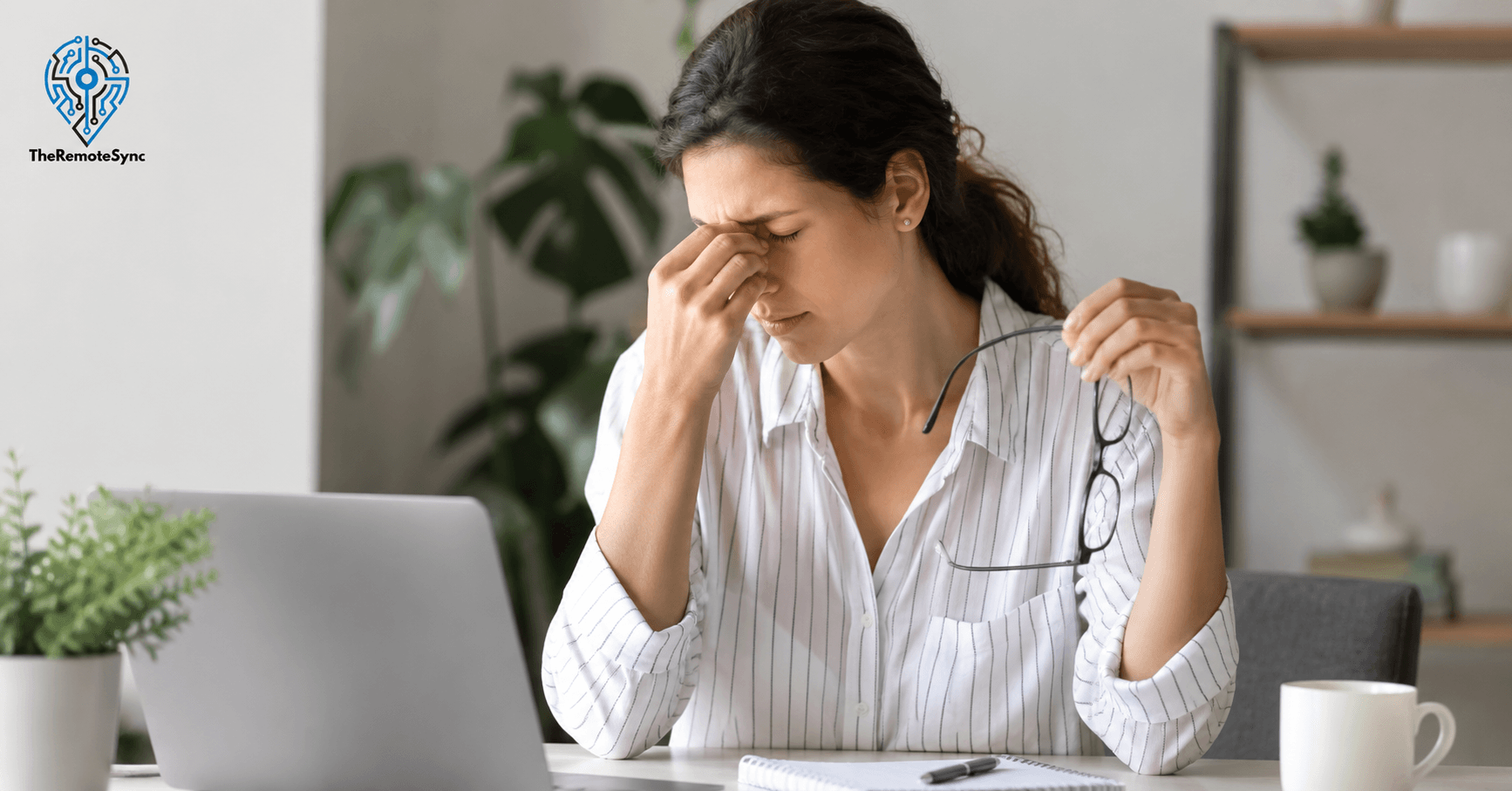
You finished a long day on calls, and your eyes feel like sandpaper. The screen looks blurry. There is a dull ache behind your brows that will not quit. You are not imagining it.
Eye strain is one of the most common complaints among people who work from home, and for good reason. Remote workers average significantly more screen time than their office-based counterparts, with some studies putting that number at 13 hours per day.
The question most people have is simple: how long does eye strain last?
The honest answer is: it depends. And that “depends” is worth unpacking, because not all eye strain is the same. What you do in the next few hours after symptoms start has a direct effect on how long you will be dealing with them.
What Eye Strain Actually Is (And Why Remote Workers Get It More)
Eye strain, also called asthenopia or computer vision syndrome when it comes from screen use, is what happens when your eye muscles are overworked for too long without a break. The muscles responsible for focusing tighten up. When they stay tight for hours without relief, you get the classic symptoms: burning, blurred vision, dry eyes, sensitivity to light, and headaches.
For remote workers, the setup at home often makes this worse than a traditional office environment would. There are no hallway walks. No impromptu desk-side conversations that pull you away from the screen. No deliberate change of scenery. Just you and the monitor, for hours on end.
Poor home office lighting, incorrect monitor distance, and the habit of working on a laptop from the couch all compound the problem. The muscles in your eyes never get a chance to reset.
How Long Does Eye Strain Last: A Realistic Timeline
There is no fixed clock on this. But here is a general breakdown based on severity.
Mild Eye Strain (A Few Hours of Screen Use)
If you caught the symptoms early and gave your eyes a proper break, mild eye strain typically resolves within one to two hours. Closing your eyes for 15 minutes, stepping outside, or doing a few rounds of the 20-20-20 rule can bring noticeable relief within that window.
Moderate Eye Strain (A Full Workday on Screen)
After a solid 8 to 10 hours in front of multiple screens, recovery usually takes longer. Expect symptoms to linger for several hours after you stop working, and in some cases into the next morning. If you wake up and your eyes still feel tired or heavy, that is a sign your eyes did not fully recover overnight.
Severe or Chronic Eye Strain
This is where things get more serious. If you have been grinding long screen hours day after day without breaks, proper lighting, or adequate sleep, symptoms can persist for days. In some cases, people describe a constant baseline discomfort that never fully goes away because each new workday piles onto unresolved strain from the day before.
This is sometimes called cumulative visual fatigue. It is not widely talked about, but it is real, and remote workers with back-to-back video call schedules are particularly vulnerable to it.
What Affects How Long Eye Strain Lasts
Digital eye strain duration is not random. Several specific factors determine whether you recover in an hour or spend three days dealing with blurry vision and headaches.
How Long You Were on Screen Without a Break
The single biggest variable. If you took no meaningful breaks across an 8-hour day, your eye muscles have been under constant load that entire time. The longer the uninterrupted exposure, the longer the recovery.
Your Monitor Setup
A monitor that is too close, too far, too bright, or tilted at the wrong angle forces your eyes to compensate constantly. That compensation is tiring. The best computer monitor settings for eye comfort include a brightness level that matches the room, text size large enough to read without leaning in, and a screen positioned roughly an arm’s length away with the top of the monitor at or just below eye level.
Room Lighting
Working in a dim room with a bright screen, or a very bright room with a glare-heavy screen, puts your eyes in conflict. They are constantly adjusting, which drains them faster.
Uncorrected Vision Problems
If you have a refractive error, even a minor one, and are not wearing corrective lenses or are wearing an outdated prescription, your eyes are working harder than they need to. This extends eye strain recovery time significantly. A lot of remote workers discover they need glasses for the first time when they start spending 10+ hours a day on screens.
Sleep Quality
Your eyes repair themselves during sleep. Poor sleep means incomplete recovery. If you are routinely getting less than 7 hours of sleep or sleeping with a device nearby, you are carrying unresolved eye fatigue into every new workday.
Dehydration and Blink Rate
People blink less when they are focused on a screen. Normally, you blink around 14 to 17 times per minute. During screen use, that rate can drop significantly. Less blinking means less natural lubrication, which leads to dryness and irritation that extends how long eye strain symptoms last.
Does Eye Strain Go Away on Its Own?
Yes, in most cases, eye strain is temporary and will resolve without medical treatment, as long as you address what caused it. The key phrase there is “address what caused it.” Taking a 10-minute break and then jumping back into four more hours of uninterrupted work is not going to help.
If you rest your eyes properly and your symptoms are gone within a day or two, you are dealing with standard digital eye strain. If symptoms keep coming back every day or are present before you even sit down to work, that is a pattern, not a one-off.
Chronic eye strain from screen time is a different situation and warrants a conversation with an optometrist, not just a search engine.
How to Relieve Eye Strain Fast: What Actually Works
These are not complicated or expensive fixes. They are habits, and they compound over time.
The 20-20-20 Rule for Eye Strain
Every 20 minutes, look at something 20 feet away for 20 seconds. This gives the ciliary muscles in your eyes a chance to relax. Most people know about this rule. Very few actually practice it consistently. Setting a phone timer or using a browser extension that reminds you is the easiest way to make it stick.
Adjust Your Monitor Settings
Reduce screen brightness so it is not significantly brighter than the room around you. Increase text size so you are not squinting. Turn on a warm color mode or night mode during evening work sessions to cut down on blue light exposure. These small adjustments reduce the load on your eyes over the course of a workday.
Fix Your Lighting
A desk lamp positioned to the side of your monitor, rather than behind or in front of it, eliminates a major source of glare. Natural light from a window is ideal, but avoid having it directly behind your screen. The goal is even, consistent lighting that does not require your eyes to constantly adjust.
Use Artificial Tears
Over-the-counter preservative-free eye drops help restore moisture when your blink rate is low. They are especially useful for people who work in air-conditioned environments, which tend to dry out the air. A few drops in the middle of the day can make a measurable difference in how your eyes feel by the end of day.
Take Real Breaks
Scrolling your phone during a work break is not a break for your eyes. It is just a different screen. A real break means looking away from all screens. Stand up, look out the window, walk to the kitchen. Even five minutes of actual non-screen time every hour adds up.
Check Your Sitting Position
Eye strain from working from home is often tied to how you are sitting. If your screen is too low and you are craning your neck forward, your eyes are also being pulled into a suboptimal position. Proper ergonomic posture, with the monitor at the right height and distance, reduces the physical strain that feeds into visual fatigue.
Can Computer Glasses Help?
Computer glasses for eye strain are worth considering if you spend the majority of your workday in front of a screen. They are not a gimmick, but the claims around them vary. Here is what they actually do.
Standard computer glasses are optimized for intermediate distance, roughly the distance between you and your monitor. They reduce the focusing effort required for that range, which decreases eye muscle fatigue over long sessions.
Blue light blocking glasses specifically filter out a portion of the shorter wavelength light emitted by screens. The research on whether blue light alone causes eye strain is mixed, but many users report that these glasses reduce headache frequency during long work sessions. That may be due to reduced glare and contrast as much as the blue light filtering itself.
If you already wear prescription glasses, talk to your optometrist about a computer-specific prescription rather than trying to use the same lenses for screen work and distance vision. They serve different visual demands.
Eye Strain Headache: What Is Happening and How Long It Lasts
Eye strain and headaches are closely linked. The tension created by overworked eye muscles can radiate to the forehead, temples, and the area behind the eyes. This is a tension-type headache caused by visual fatigue, not a migraine, though people sometimes confuse the two.
How Long Does an Eye Strain Headache Last?
A mild eye strain headache usually clears within an hour or two of resting your eyes and stepping away from the screen. More persistent headaches that come with significant visual fatigue can last several hours and may carry into the evening.
Eye Strain Headache Relief
The most effective immediate treatment for an eye strain headache is rest. Close your eyes in a dark or dimly lit room. A cold or warm compress on the forehead or over your closed eyes can help relieve tension. Over-the-counter pain relievers can take the edge off the headache, but they do not fix the underlying cause. If the headaches are recurring, that is your signal to fix your workspace setup and review your screen time habits.
When the Headache Might Be Something Else
Not every screen-related headache is from eye strain. If your headaches are severe, frequent, accompanied by vision changes like double vision or sudden blurriness, or do not respond to rest, see a doctor. Do not self-diagnose persistent headaches as eye strain.
When to See a Doctor for Eye Strain
Most eye strain does not require medical attention. But there are situations where you should not wait it out.
See an optometrist or eye doctor if:
- Your symptoms last more than two to three days despite resting and adjusting your workspace. Persistent symptoms that do not respond to basic recovery measures may indicate an underlying vision issue that needs correction.
- You are getting eye strain headaches daily. Recurring headaches tied to screen use are a signal that something in your vision or setup needs a professional assessment.
- You notice changes in your baseline vision. Blurriness or difficulty focusing that does not clear up after rest is different from temporary digital eye strain and should be evaluated.
- You have never had an eye exam and are spending significant time on screens each day. Many people do not know they have a mild refractive error until screen use makes it impossible to ignore.
Building a Work Setup That Prevents Chronic Eye Strain
Recovering from today’s eye strain matters less if tomorrow’s workday causes the same problem all over again. Prevention is not complicated, but it does require being intentional about your workspace.
Get Your Monitor Distance and Height Right
Your monitor should sit roughly an arm’s length away, about 20 to 28 inches from your face. The top of the screen should be at or slightly below eye level. This reduces how much your eye muscles have to strain to maintain focus and minimizes neck tension that contributes to headaches.
Evaluate Your Lighting Every Season
Natural light changes throughout the year. A setup that worked well in winter may cause significant glare in summer if the sun’s angle shifts and hits your screen differently. Check your workspace lighting whenever a new season starts and adjust accordingly.
Build Microbreaks Into Your Schedule
The 20-20-20 rule for eye strain is most effective when it is non-negotiable, not optional. Block off two to three minutes every hour in your calendar if that is what it takes. Treat it like any other recurring meeting. The compounded effect of consistent microbreaks over a full workday is far more protective than taking a long break at the end.
Get an Annual Eye Exam
If you work on screens for most of your day, your vision needs an annual professional evaluation. An outdated prescription is one of the most common and overlooked causes of chronic eye strain among remote workers. Correcting it can dramatically reduce eye fatigue duration and frequency without any other changes to your setup.
Hydrate and Sleep
These two basics affect eye strain more than most people expect. Being dehydrated reduces tear production, which makes dry eye symptoms worse. Poor sleep prevents your eyes from fully recovering overnight. Eight glasses of water a day and 7 to 8 hours of sleep per night are not just general health advice. For remote workers with heavy screen schedules, they are part of managing eye health.
The Bottom Line on Eye Strain Recovery for Remote Workers
Mild eye strain usually clears within a couple of hours if you rest properly. A full day of heavy screen use can stretch that to the next morning. Repeated daily strain without adequate recovery builds into something more persistent and harder to resolve.
The difference between eye strain that lasts an hour and eye strain that follows you into the next week is almost always about what you do between sessions, not during them. Rest, lighting, monitor setup, and sleep matter more than any single product or supplement.
If you are dealing with daily eye strain, the fix starts with your workspace, not your medicine cabinet.
Frequently Asked Questions
How long does eye strain last?
It depends on severity. Mild eye strain from a few hours of screen use typically resolves within one to two hours with proper rest. A full workday of heavy screen use can stretch recovery into the next morning. Severe or chronic cases, from repeated screen exposure without breaks, proper lighting, or sleep, can persist for days and build into a baseline discomfort that carries over day to day. If symptoms last more than two to three days despite resting and adjusting your setup, that’s the point to see an optometrist rather than wait it out.
Does eye strain go away on its own?
Yes, in most cases, as long as you address what caused it. Simply taking a short break and then going straight back into hours of uninterrupted screen time won’t resolve it. If your symptoms clear within a day or two after resting your eyes properly, that’s standard digital eye strain. If symptoms keep returning daily or are present before you even sit down to work, that’s a pattern that warrants a conversation with an optometrist rather than more rest.
What can be mistaken for eye strain?
A tension-type headache from overworked eye muscles is often mistaken for a migraine, since both can involve pain behind the eyes or across the forehead. The distinction matters: a genuine migraine or a headache with vision changes like double vision or sudden blurriness needs medical attention rather than eye rest, so persistent or severe headaches shouldn’t be self-diagnosed as ordinary eye strain.
What are the first signs of eye strain?
The earliest signs are burning or dry eyes, mild blurred vision, and a dull ache starting to form behind the brows, usually noticeable after a few hours of uninterrupted screen use. Catching it at this stage matters, since mild eye strain addressed early with a proper break typically resolves within one to two hours, while ignoring it and continuing to work extends recovery significantly.
What to Do Next
Start with the basics before spending money on anything. Adjust your monitor settings, fix your lighting, and actually practice the 20-20-20 rule for one full workweek. Track how your eyes feel at the end of each day.
If symptoms persist after one week of consistent changes, book an eye exam. Tell the optometrist how many hours you spend on screens daily. That context matters for the evaluation.
And if your home office setup is still contributing to the problem, the workspace ergonomics guides on TheRemoteSync cover monitor positioning, desk lighting, and screen distance in practical detail.