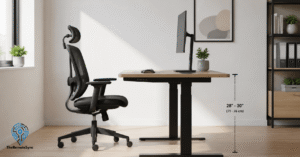
Working from home has many perks, but it often comes with a physical cost.
If you spend eight hours a day clicking away, you might notice a dull ache in your wrist or a tingling sensation in your fingers.
This is not just a minor inconvenience. It is often the first sign of wrist pain caused by poor ergonomics.
At TheRemoteSync, we focus on optimizing your remote work life. A major part of that is ensuring your ergonomic desk setup supports your long-term health.
The standard flat computer mouse forces your forearm into an unnatural twisted position. This leads to forearm pronation, which compresses the nerves and tendons in your wrist.
Switching to the best mouse for wrist pain can be the difference between a productive day and one spent in discomfort.
In this guide, we dive deep into the best ergonomic mouse picks for Carpal Tunnel relief and Repetitive Strain Injury (RSI) prevention.
We have tested these for build quality, button feel, and real-world performance to help every remote worker find their perfect match.
Best Mouse for Wrist Pain at a Glance
| Mouse | Best For | Connection | Notable Feature | Price |
|---|---|---|---|---|
| Logitech MX Vertical | Overall pick, large hands | Bluetooth, Logi Bolt, USB-C | 57-degree angle, reduces strain 10% | Moderate/Expensive |
| Logitech Lift | Small hands | Bluetooth LE, Logi Bolt | Silent click switches, left-hand version | Budget/Moderate |
| Logitech MX Ergo S | Severe pain, zero movement | USB-C | Adjustable trackball tilt, thumb operates it | Moderate |
| Razer Pro Click V2 Vertical | High precision, hybrid work/gaming | Bluetooth, 2.4GHz | Focus Pro 30K sensor, 30,000 DPI | Expensive |
| Anker Wireless Vertical | Budget option | 2.4GHz dongle | Simple plug-and-play, no software | Very budget |
Why Your Current Mouse Causes Wrist Pain
Most traditional mice require you to palm the device flat against the desk. This position crosses the two bones in your forearm, putting constant pressure on the median nerve. This is the primary cause of Carpal Tunnel Syndrome (CTS).
An ergonomic vertical mouse fixes this by tilting your hand into a neutral handshake grip. This posture keeps your bones uncrossed and transfers the movement from your small wrist joints to your stronger shoulder and forearm muscles.
Whether you are looking for a Bluetooth mouse for travel or a wired mouse for a permanent ergonomic desk, the goal is the same: reducing musculoskeletal health risks.
1. Logitech MX Vertical (The Best Mouse for Wrist Pain)
The Logitech MX Vertical is widely considered the best vertical mouse on the market for serious professionals.
It features a unique 57-degree angle that is specifically designed to reduce muscle strain by 10 percent compared to a standard mouse.
Product Specifications
- Sensor: 4,000 DPI high-precision sensor.
- Connectivity: Bluetooth, Logi Bolt USB receiver, and USB-C charging.
- Battery Life: Up to 4 months on a full charge.
- Buttons: 4 customizable buttons via Logi Options+.
The Consumer Experience
When you first hold the MX Vertical, the premium build is immediately obvious.
The rubberized grip has a ribbed texture that feels secure without being sticky.
Many users in the remote working community praise how it fits medium to large hands perfectly.
However, if you have very small hands, you might find reaching the top scroll wheel a bit of a stretch.
Pros
- The neutral handshake grip significantly reduces wrist pain from mouse use.
- Multi-device pairing allows you to switch between three different computers instantly.
- Fast charging via USB-C gives you 3 hours of use from just one minute of charging.
Cons
- It is a moderately priced to expensive investment.
- The large footprint makes it less travel-friendly than smaller models.
2. Logitech Lift (Best for Smaller Hands & Silent Clicks)
If the MX Vertical is the “big brother,” the Logitech Lift is the refined, compact version.
It is the best mouse for small hands and offers a nearly identical ergonomic benefit at a slightly lower price point.
Product Specifications
- Sensor: 4,000 DPI optical sensor.
- Connectivity: Bluetooth Low Energy or Logi Bolt receiver.
- Battery: 1x AA battery (included) lasting up to 2 years.
- Design: Available in right and left-handed versions.
The Consumer Experience
The standout feature for the Lift is the silent click mouse technology. In a quiet home office, the loud clicking of a standard mouse can be distracting. The Lift’s buttons are almost entirely noiseless while still providing a tactile feel.
It is a fantastic office mouse for those who share a workspace or simply prefer a calm environment.
Pros
- Excellent wrist pain from mousing relief for petite and medium hands.
- Long rechargeable battery life (via AA) means you don’t have to worry about cables for years.
- Comes in multiple colors to match a minimalist desk accessories aesthetic.
Cons
- Does not support a wired mode; it is strictly a wireless mouse.
- The AA battery adds a bit of weight compared to internal lithium units.
3. Logitech MX Ergo S (Top Pick for Trackball & Zero-Movement Relief)
For some, even moving the arm is too much.
If you suffer from severe ulnar nerve entrapment or tendonitis wrist support needs, the Logitech MX Ergo S is the ultimate solution.
As a trackball mouse for work, it stays stationary while your thumb does all the moving.
Product Specifications
- Tilt Angle: Adjustable hinge (0 to 20 degrees).
- Buttons: 8 programmable buttons for high productivity.
- Software: Supports Logi Options+ with the new “Actions Ring” feature.
- Charging: USB-C quick charging.
The Consumer Experience
The MX Ergo S feels like a heavy, stable command center.
The ability to tilt the base by 20 degrees allows you to find the exact angle that relieves your specific wrist pain.
It is particularly useful for remote work setups with limited desk space because the mouse never actually moves.
Pros
- Best for RSI prevention as it eliminates all wrist and arm travel.
- Programmable shortcut buttons make it a powerful wireless productivity mouse.
- Silent click switches on the main buttons, keeping your workflow quiet.
Cons
- The 2,048 DPI sensor is lower than others, making it less ideal as a gaming mouse.
- Requires regular cleaning of the trackball socket to maintain smooth movement.
4. Razer Pro Click V2 Vertical (Best High-Precision Hybrid)
Razer is famous for gaming, but the Razer Pro Click V2 Vertical is a masterpiece of office work engineering.
It combines the high-end specs of a gaming mouse with a professional, ergonomic form factor.
Product Specifications
- Sensor: Focus Pro 30K Optical Sensor (extremely high precision).
- Battery Life: Up to 400 hours on Bluetooth.
- DPI: Customizable DPI settings up to 30,000.
- Polling Rate: 1,000Hz for zero latency.
The Consumer Experience
This is the best mouse for work and gaming for someone who needs precision.
If you are a graphic designer or video editor who also enjoys a few rounds of a fast-paced game after work, this hybrid is for you.
The build quality is exceptional, featuring a sleek white and gray design that fits into any ergonomic home office setup.
Pros
- The most accurate sensor on this list, great for the best mouse for remote work gaming.
- Multi-device switching for up to 3 devices via Bluetooth or 2.4GHz.
- Exceptional musculoskeletal health support designed with Humanscale experts.
Cons
- It is the most expensive option on the list.
- The software can be a bit heavy compared to Logitech’s simpler options.
5. Anker Wireless Vertical Mouse (Best Budget-Friendly Option)
You don’t need to spend over $100 to get carpal tunnel-friendly mouse support.
The Anker Wireless Vertical Mouse is a budget-friendly ergonomic mouse that has been a favorite for years.
Product Specifications
- Sensitivity: 800 / 1200 / 1600 DPI levels.
- Connectivity: 2.4GHz wireless via a small USB dongle.
- Battery: 2x AAA batteries.
- Buttons: 5 buttons, including “Next/Previous” for web browsing.
The Consumer Experience
For the price of a few cups of coffee, this mouse provides a solid neutral handshake grip.
While it lacks the premium rubberized coatings of the Logitech or Razer models, the matte plastic is durable and easy to grip.
It is the best budget wireless mouse for work for someone curious about vertical mice but not ready to commit to a high price tag.
Pros
- Incredible value for wrist pain relief.
- Lightweight and includes a slot to store the USB dongle.
- Simple, plug-and-play setup with no software required.
Cons
- Lacks Bluetooth mouse capability; you must use the USB dongle.
- The click sound is quite loud compared to the “silent” models above.
How to Choose the Right Mouse for You
Finding the best computer mouse for work depends on your specific needs and hand size. Here is a quick breakdown to help you decide.
- For Large Hands: Go with the Logitech MX Vertical. It provides the most surface area for a full palm grip.
- For Small Hands: The Logitech Lift is the clear winner. It ensures your fingers aren’t straining to reach the buttons.
- For Severe Pain: If even small movements hurt, the Logitech MX Ergo S trackball is the safest choice for Carpal Tunnel relief.
- For Gamers: The Razer Pro Click V2 Vertical offers the precision you need for high-speed tracking without the wrist strain.
- For the Budget Conscious: The Anker Wireless Vertical Mouse is the perfect entry point.
Frequently Asked Questions
What type of mouse is best for your wrist?
A vertical mouse is generally best, since it tilts your hand into a neutral handshake grip instead of forcing your forearm flat against the desk. The Logitech MX Vertical is the top overall pick for medium to large hands, while the Logitech Lift offers the same benefit in a smaller design for people with smaller hands.
Best mouse for hand pain?
The Logitech MX Ergo S trackball is worth considering if hand pain extends beyond your wrist, since it eliminates arm and wrist travel entirely by letting your thumb control the cursor while the mouse stays stationary. For general hand pain that’s more about grip and positioning, the Logitech MX Vertical’s neutral handshake angle also reduces strain across the hand, not just the wrist.
Best mouse for finger pain?
The Logitech Lift is a strong option here since it uses silent, low-resistance click switches that reduce the repetitive finger strain of harder mouse buttons. If finger pain is significant, the MX Ergo S trackball also helps by shifting most of the workload to your thumb instead of your fingers and wrist.
How to stop wrist from hurting when using a mouse?
Switch to a vertical mouse with a neutral handshake grip, since a standard flat mouse forces your forearm into a twisted position that compresses the median nerve. Pair that with a mouse pad and desk height that keep your wrist straight rather than bent upward, and take short breaks to move your hand and wrist through their natural range of motion throughout the day.
What mouse is good for tendonitis?
The Logitech MX Ergo S trackball is the strongest option for tendonitis since it removes wrist and arm movement almost entirely, which reduces the repetitive strain that aggravates tendon inflammation. If you still want more traditional mouse movement, a vertical mouse like the MX Vertical is the next best choice, since it keeps the wrist in a neutral position rather than twisted.
Conclusion
Investing in an ergonomic vertical mouse is an investment in your future self.
Wrist pain and Carpal Tunnel Syndrome can take months or years to heal, but they can often be prevented with the right productivity tools for remote work.
At TheRemoteSync, we believe your tech should work for you, not against you.
Whether you choose the premium features of the Logitech MX series or the simple efficiency of the Anker, your wrists will thank you.
Visit TheRemoteSync for guides tailored to remote workers who want practical setups without the fluff. Check out our guide on the best headphones for remote work!