If you’ve optimized your monitor height and started doing chin tucks but still feel that dull ache at the base of your skull by mid-afternoon, your chair is worth a closer look. It’s easy to treat seating as an afterthought next to a standing desk or a laptop stand, but a chair that doesn’t actively support your spine undoes a lot of the other ergonomic work you’ve done, since you spend more hours in contact with it than with any other piece of equipment on your desk.
This guide covers five chairs worth considering for tech neck specifically, headrest design, lumbar support, and recline mechanics, plus how to actually set one up once it arrives, since a great chair adjusted poorly delivers a fraction of its potential benefit.
Best Chair for Tech Neck at a Glance
| Chair | Best For | Frame/Material | Notable Feature | Price |
|---|---|---|---|---|
| Steelcase Gesture | Overall pick | Reinforced polymer, premium fabric | Adjustable headrest cradles neck on recline | Premium ($1,400+) |
| Humanscale Freedom | Hands-off adjustment | Die-cast aluminum | Automatic headrest moves with weight-sensitive recline | Premium (~$1,000) |
| Herman Miller Aeron | Spine and lumbar support | 8Z Pellicle mesh | PostureFit SL supports sacrum and lumbar together | Premium ($1,200–$1,800) |
| Branch Ergonomic Chair Pro | Budget | Polymer and mesh | Dedicated headrest, 5D armrests | Moderate (~$500) |
| Hinomi H2 Pro | Maximum adjustability | Aluminum frame, breathable mesh | 19 adjustment points, folds for storage | Moderate (~$600–$700) |
Impact of Remote Working on Your Neck
Remote working has changed how we move.
In a traditional office, you might walk to a meeting or a colleague’s desk. At home, many remain in one spot for hours. This lack of movement is why remote working causes tech neck for so many professionals.
When you slouch, your head moves forward. This adds up to 60 pounds of extra weight to your neck muscles. This leads to the dreaded tech neck hump and even visible tech neck lines or tech neck wrinkles on the skin.
To fix this, you need an ergonomic setup for remote workers. This includes a chair that encourages cervical spine alignment and the best sitting posture.
Can You Get Rid of Tech Neck with a Chair?
You might wonder how to get rid of tech neck using just furniture. A chair alone is not a magic cure, but it is the foundation.
The right chair uses a synchro-tilt mechanism to keep your body moving. It also provides dynamic lumbar support to stop you from slouching.
If you combine a great chair with tech neck exercises and tech neck stretches, you will see results.
People often ask how long does it take to fix tech neck. While everybody is different, consistent use of ergonomic furniture and exercises for tech neck can show improvement in a few weeks.
Top 5 Chairs for Tech Neck Relief in 2026
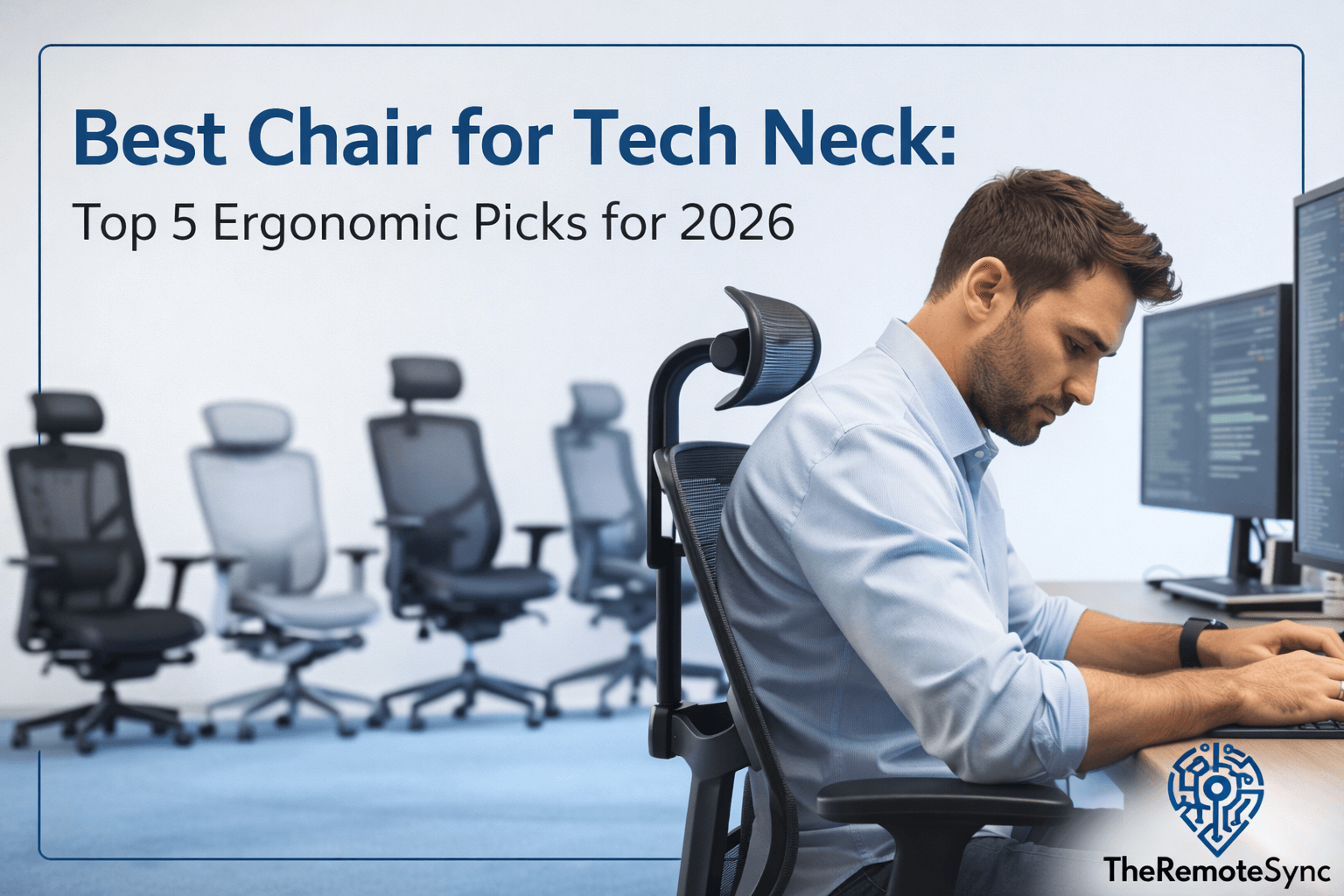
We have analyzed the top performers for home office ergonomics 2026. Here are our top 5 chairs for tech neck based on build quality, user reviews, and ergonomic features.
1. Steelcase Gesture (with Headrest)
The Steelcase Gesture is often cited as the best chair for tech neck because it was designed around how we use modern tech. Most chairs assume you are just typing. The Gesture understands that you also use tablets and phones.
Description: This tech neck chair features highly flexible armrests and a contoured back. The 360-degree arms support your limbs in any position. The headrest is essential for tech neck relief as it adjusts to cradle your neck while you recline.
Build and Materials: It uses premium fabric and a reinforced polymer frame. The seat has air pockets to reduce pressure.
Price: This is a premium investment, typically costing over $1,400.
Pros:
- Incredible armrest mobility helps prevent shoulder strain.
- The headrest is one of the most adjustable on the market.
- It ships fully assembled.
Cons:
- Very expensive compared to mid-range options.
- The fabric can feel warm in the summer months.
2. Humanscale Freedom
If you want a chair that thinks for you, the Humanscale Freedom is the choice. It is a masterpiece of sedentary posture correction.
Description: The Freedom uses a weight-sensitive recline. There are no manual levers for tension. As you lean back, the adjustable headrest for neck pain automatically moves forward to keep your eyes on the screen.
Build and Materials: It features a die-cast aluminum frame and high-quality cushions. It looks minimalist and sleek.
Price: This is a high-end chair, usually priced around $1000.
Pros:
- An automatic headrest is perfect for forward head posture relief.
- Very easy to use with minimal adjustments needed.
- Extremely durable with a long warranty.
Cons:
- Some users feel like they are sliding out when fully reclined.
- Armrests move together, which limits individual side adjustments.
3. Herman Miller Aeron (with PostureFit SL)
The Herman Miller Aeron is an icon of remote work setups. While it doesn’t come with a headrest from the factory, its spine support is legendary.
Description: The PostureFit SL system supports the sacrum and the lumbar region simultaneously. This forces your spine into a healthy S-shape. This alignment is key for the best chair for tech neck and neck pain categories.
Build and Materials: It uses 8Z Pellicle mesh. This is a breathable mesh office chair that keeps you cool all day.
Price: Expect to pay between $1,200 and $1,800, depending on the size and features.
Pros:
- Unmatched breathability for long hours.
- PostureFit SL is excellent for lower and mid-back health.
- Retains its value well over time.
Cons:
- No native headrest (requires a third-party add-on for full tech neck support).
- The hard plastic frame can be uncomfortable if the chair is the wrong size.
4. Branch Ergonomic Chair Pro
For the remote worker on a budget, the Branch Ergonomic Pro offers the best value.
Description: This tech neck chair provides many premium features at a fraction of the cost. It includes a dedicated headrest and 5D armrests to help with the best chair for tech neck and shoulder pain.
Build and Materials: It uses a mix of polymer and mesh. The seat is a high-density foam that stays firm.
Price: This is a moderately priced option at around $500.
Pros:
- Very budget-friendly for the features provided.
- Strong tech neck relief via the adjustable headrest.
- Clean, modern design that fits any home office.
Cons:
- Requires assembly, which can be time-consuming.
- Materials feel slightly less “premium” than Steelcase or Herman Miller.
5. Hinomi H2 Pro
The Hinomi H2 Pro is a rising star for the best chair for long sitting hours. It is designed for maximum adjustability.
Description: It features 19 adjustment points. The most notable is the independent lumbar support and the wide headrest. It is a great contender for the best chair for neck and shoulder pain because you can fine-tune every angle.
Build and Materials: It uses an aluminum frame and breathable mesh. A unique feature is that it can fold in half for storage.
Price: Mid-range, usually around $600 to $700.
Pros:
- 4D armrests and a highly adjustable headrest.
- The folding design is great for small apartments.
- Pronounced lumbar support helps stop the slouch.
Cons:
- The lumbar support can feel too aggressive for some people.
- The mesh can feel very firm initially.
Essential Tech Neck Exercises and Stretches
Even with the best chair for neck pain at home, you must move. Here is a daily routine for forward head posture to use alongside your new chair.
- Effective Chin Tucks for Posture: Sit tall and look straight ahead. Gently tuck your chin back as if making a double chin. Hold for 5 seconds. Repeat 10 times.
- Chest Stretches: Stand in a doorway and place your arms on the frame. Lean forward to stretch your chest. This opens up the shoulders and reduces upper back and shoulder tension.
- Neck Tilts: Gently tilt your ear toward your shoulder. Hold and breathe. This provides immediate tech neck relief.
Creating an Ergonomic Desk Setup for Neck Pain
A chair is only half the battle. To truly understand how to get rid of tech neck, you must look at your whole desk.
- Monitor Height: Your screen should be at your eye level. Use a monitor arm or stand. This prevents you from looking down.
- Keyboard Position: Your elbows should be at a 90-degree angle. This is where 4D armrests help by supporting your weight.
- Pillow Choice: When you sleep, use the best pillow for tech neck. The best pillow for neck and shoulder pain will keep your spine neutral even while you rest.
How to Actually Adjust Your New Chair for Tech Neck Relief
Buying the right chair solves nothing if it’s set up wrong, and most people never touch the adjustment levers beyond seat height on day one.
Start with seat height and depth: your feet should sit flat on the floor with knees at roughly 90 degrees, and there should be a two- to three-finger gap between the back of your knees and the seat edge. Getting this wrong undermines everything else, since a seat that’s too high or too deep forces you to lean forward or slouch to reach the desk, which defeats the point of the chair entirely.
Next, dial in lumbar support so it sits at the inward curve of your lower back, not below it. Most adjustable lumbar systems, including the ones on the Aeron and Hinomi H2 Pro above, let you move the support up or down independently of recline tension; take the time to find the exact height rather than leaving it at the factory default, which is set for an average body, not yours specifically.
Finally, set the headrest, where available, so it contacts the base of your skull when you’re sitting upright, not floating behind your shoulders. The headrest should support your neck during recline, not push your head forward when you’re sitting straight, if it does the latter, it’s positioned too far forward and is actively working against the posture it’s meant to correct.
Revisit these settings after the first week. Most ergonomic chairs feel slightly different once your body adjusts to sitting correctly, and a setting that felt right on day one sometimes needs a small tweak once you’re no longer compensating for old posture habits.
Is a Headrest Essential, or Can You Retrofit One?
The Herman Miller Aeron’s lack of a native headrest is a real gap for tech neck specifically, even with its excellent lumbar system, and it’s worth addressing directly rather than assuming lumbar support alone covers the problem.
A headrest matters most when you recline, since without one, your neck has nothing to rest against and tends to either crane forward to keep your eyes on the screen or fall backward uncomfortably. If you spend most of your day sitting upright rather than reclined, a chair without a headrest is a smaller loss, the Aeron’s spine and lumbar support still do meaningful work for tech neck even without it. If you recline regularly during calls or thinking time, the missing headrest is a bigger gap.
Third-party headrest attachments exist for the Aeron and similar chairs without a native option, and they’re a reasonable middle ground if you already own the chair or found a used one at a good price. The tradeoff: aftermarket headrests rarely match the fit and adjustability of a chair designed around one from the start, expect a decent improvement over nothing, not the same experience as the Gesture or Freedom’s integrated systems.
One practical note before buying any premium chair on this list: Steelcase, Herman Miller, and most direct-to-consumer ergonomic brands offer 30-day (sometimes longer) trial periods specifically because chair fit is so individual. Use that window deliberately, sit in it for full workdays, adjust everything, and don’t assume day-one comfort predicts week-three comfort, rather than treating the trial as a formality.
Frequently Asked Questions
What is the best chair with neck support?
Look for a chair with an adjustable headrest and a synchro-tilt mechanism, since those two features are what actually cradle your neck and keep your body moving instead of locked in one position. The Steelcase Gesture and Humanscale Freedom both build the headrest around forward head posture specifically, while the Herman Miller Aeron skips the headrest but leads on lumbar and sacral support instead.
What is the most comfortable computer chair?
Comfort and ergonomic support aren’t quite the same thing. The Herman Miller Aeron is often called the most comfortable for long sitting sessions thanks to its breathable mesh and PostureFit SL lumbar system, but comfort ultimately comes down to fit. A chair that’s the wrong size for your body will feel uncomfortable no matter how premium it is, so adjustability matters more than any single spec.
How to sit so you don’t get tech neck?
Keep your monitor at eye level so you’re not looking down, sit fully back in the chair so the lumbar support makes contact, and keep your elbows at roughly 90 degrees. A chair with a synchro-tilt mechanism and dynamic lumbar support helps you hold this position without constantly correcting yourself, but the setup does most of the work. The chair just makes it easier to maintain.
What chairs do chiropractors recommend?
Chiropractors tend to favor chairs with strong, targeted lumbar support that maintains the spine’s natural S-curve, which is exactly what the Herman Miller Aeron’s PostureFit SL system is built around. Chairs with highly adjustable lumbar support, like the Hinomi H2 Pro’s independent lumbar system, are also commonly recommended since they let you match support to your specific spine shape rather than a one-size-fits-all curve.
Conclusion
A good chair is a real, meaningful piece of the tech neck picture, but it’s the foundation, not the whole fix. Pair whichever chair fits your budget and body with the daily chin tucks and chest stretches covered above, and with the monitor height and desk setup changes in our full tech neck guide, since none of these work in isolation.
Whichever chair you land on, spend the time adjusting it properly before judging whether it’s the right fit. A premium chair set up carelessly will disappoint you, and a mid-range chair adjusted well often outperforms expectations. Start there before assuming you need to spend more.