It is 2:30 PM. Your neck hurts. Your eyes feel dry. Your lower back is tight from sitting on a dining chair since morning.
You have done three hours of real work. It feels like nine.
Most people blame themselves at this point. They think they need more discipline or a better app. Usually, the problem is the desk, the chair, and the screen. Pain pulls your attention away from the task. Bad light tires your eyes. A messy space invites distraction.
These work from home productivity tips start with your setup. Fix the physical side first. The habits are much easier to keep after that.
Quick answer: The best work from home productivity tips start with your body and your space. Raise your screen to eye level, support your back, use a separate keyboard, add good light, and take short breaks. Then plan your day around about three hours of deep focus and set a firm stop time.
Does Working From Home Make You More Productive?
It can. But it is not automatic. The result depends a lot on how you set up your space and your day.
What the research says
One of the strongest studies so far is a randomized trial of 1,612 employees at Trip.com, published in Nature. Workers who spent two days a week at home had the same performance reviews and promotion rates as full-time office workers. They also quit about one-third less.
There is a catch. These were college-educated office workers on a hybrid schedule. Full-time remote work in other jobs can look different. Still, the study shows that working from home does not hurt output by default.
Why some people still struggle at home
The same job can feel easy or hard depending on the space. These are the four most common causes:
- No fixed workspace. Work spreads into the living room and the bedroom. You never fully start or stop.
- Body discomfort. Neck, back, and wrist pain pull your attention away from the task.
- No natural breaks. Nobody walks past your desk. There is no commute. You sit for hours without noticing.
- No end time. Work expands to fill the evening.
Each of the ten changes below fixes one of these problems. They are roughly in order of how much they help for the cost.
1. Pick One Fixed Spot for Work
The problem: You work from the couch for an hour, then the bed, then the kitchen. Your body slumps. Your mind never gets a clear signal that work has started.
The fix: Choose one spot and use it every day. It does not need to be a room. A corner of a table works fine.
Here is why this matters. When you sit in the same place at the same time, your brain learns the pattern. Sitting down starts work mode. Standing up ends it. This is one of the simplest WFH setup changes, and it costs nothing.
Keep three rules:
- Same spot, every workday. Consistency matters more than looks. A plain table beats a fancy desk you only use sometimes.
- No work in bed. Your bed should stay linked to sleep. Working there also gives your back almost no support.
- Keep work items in one place. Store the laptop, notebook, and charger together so setup takes seconds.
Ergonomic home office setup for small spaces
Not everyone has a spare room. Many remote workers share a one-bedroom apartment or a family home. You can still build a good setup.
- Use a slim desk with enough depth. A desk about 24 inches deep lets you keep the screen at arm’s length. Shallower desks push the screen too close to your face.
- Try a wall-mounted or fold-down desk. These free up the floor when you are done. Make sure it can hold your screen steady.
- Use a rolling cart for supplies. Roll it away at the end of the day. Out of sight helps you switch off.
- Share a dining table the smart way. Keep a small box with your stand, keyboard, and mouse. Set up in two minutes. Pack up in one.
If you work hybrid
Hybrid workers split time between home and the office. Your body does not care where you are. It cares about screen height, chair support, and wrist position.
Pack a small kit: a foldable laptop stand, a compact keyboard, and a mouse. Use the same height rules everywhere, including cafes and coworking spaces.
2. Raise Your Screen to Eye Level
The problem: A laptop on a desk makes you look down all day. Your head leans forward. Your neck and upper back muscles work hard to hold it up. By afternoon, you feel it.
The fix: Set your screen height first. It affects everything else.
The monitor height rule
For monitor height when working from home, use this simple test:
- Top of the screen at or just below eye level. You should look slightly down at the middle of the screen, not up and not far down.
- About an arm’s length away. Sit back, stretch your arm, and your fingertips should touch the screen.
- Screen tilted back a little. A slight tilt cuts glare and keeps your neck straight.
Try this check. Sit tall and close your eyes. Relax. Open them. Your eyes should land near the top third of the screen. If they land at the bottom, the screen is too low.
What to do with a laptop
A laptop has a problem built in. If the screen is at the right height, the keyboard is too high for your hands. If the keyboard is right, the screen is too low.
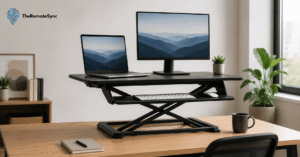
The solution is to raise the laptop and add a separate keyboard and mouse. When you shop for the best laptop stand for remote work, look for these things:
- Adjustable height. Fixed stands rarely fit both you and your desk.
- Stable base. A wobbly stand will annoy you within a day.
- Fold-flat design. Important if you work hybrid or need to store it.
Here is an honest warning. A laptop stand without a separate keyboard just moves the problem to your wrists. Buy them as a pair.
Budget fix: A stack of sturdy books or a strong box works well. Test that it does not slide.
Should you buy an external monitor?
If you work more than a few hours a day on screen, yes, it is worth it. A basic 24-inch monitor covers most work. You get the right height without extra gear. If you use two screens, put the main one directly in front of you. Place the second at the side.
3. Set Your Chair So Your Feet and Back Are Supported
The problem: Dining chairs are made for 45-minute meals, not eight-hour workdays. The seat is flat and hard. The back gives no support where you need it.
The fix: You do not need to spend a lot. You need to set up what you have, then upgrade only if it still hurts.
How to set your seat
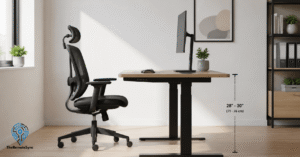
- Seat height. Your feet should rest flat on the floor. Your knees should sit level with your hips or a little lower.
- Lower back support. Your lower back should touch the backrest. If there is a gap, fill it with a small cushion or a rolled towel.
- Seat depth. Leave about two or three fingers of space between the seat edge and the back of your knees. A seat that is too deep cuts off comfort.
- Armrests. They should let your shoulders drop and relax. If they push your shoulders up, lower them or remove them.
If your feet do not reach the floor, use a footrest. A sturdy box or a stack of books works. The goal is that your thighs are supported and your feet are planted.
What to look for in the best ergonomic chair for working from home
Sometimes the chair you own cannot be fixed. If you plan to buy, focus on adjustability, not brand names or price.
- Adjustable seat height. This is the minimum. Without it, nothing else works.
- Adjustable lower back support. Backs differ. A fixed curve will not fit everyone.
- Adjustable seat depth. This helps shorter and taller people alike.
- A real return policy. You will not know if a chair fits until you sit in it for a few days. Check that you can send it back.
One more honest point. An expensive chair that is set up wrong is worse than a cheap chair that is set up right. Adjust first. Judge after a week.
4. Use a Separate Keyboard and Mouse
The problem: Laptop keyboards pull your hands up and in. Your shoulders hunch. Your wrists bend. Over time, this can cause pain in your hands, wrists, and forearms.
The fix: Get a basic external keyboard and mouse. You do not need fancy ones.
How to position them
- Elbows at about 90 degrees. Keep them close to your body. If you reach forward, the keyboard is too far.
- Wrists straight. Do not bend them up or down. If your wrists tilt, adjust the keyboard or your chair height.
- Mouse next to the keyboard. Keep it close so you do not stretch your arm to the side.
- Shoulders relaxed. If you feel them rise toward your ears, something is too high.
A wrist rest can help, but use it the right way. Rest your palms on it during pauses. Do not lean on it while you type.
What if the desk is too high?
Many home desks and tables are taller than office desks. If your elbows end up above 90 degrees, raise your chair. Then add a footrest so your feet stay supported. This is a common fix for dining tables.
If you feel ongoing pain or numbness in your hands, see a doctor. Do not try to push through it.
5. Fix Your Lighting
The problem: A dim room makes your eyes work harder. A window behind your screen creates glare. A window in front of you makes you squint. Poor light is one of the easiest ways to feel tired by midday, and people rarely notice it.
The fix: Good lighting for home office productivity is mostly about where you place things.
- Put the window to your side. Light from the side lights your desk without hitting the screen or your eyes directly.
- Avoid a bright window behind the screen. It makes the screen look dull and makes your eyes strain.
- Add a desk lamp. Point it at your desk, not at the screen. A lamp with an adjustable arm gives you the most control.
- Match screen brightness to the room. If your screen looks like a light box in a dark room, turn it down. If it looks dull in a bright room, turn it up.
- Use warmer light in the evening. It feels calmer and is easier on the eyes after dark.
A note for video calls
If you are on camera often, light your face. Face a window or place a lamp behind your screen, aimed toward you. A bright window behind your back turns you into a dark shape. If glare is a problem, a thin curtain helps a lot.
6. Switch Between Sitting and Standing
The problem: Sitting all day makes you stiff. But standing all day is tiring too, especially on hard floors.
The fix: Change your posture often. The best posture is the next one.
Standing desk vs. sitting desk for productivity
Here is a fair comparison. A standing desk is not magic. It will not fix a bad setup. A standing desk with a screen that is too low is still a bad desk.
What a standing desk does well is make it easy to change position. That helps with stiffness and with the mid-afternoon slump.
You do not need to buy one to get the benefit:
- Stand for calls. You often pace or shift anyway. It breaks up long sitting.
- Stand to read or think. Put a stack of books on your desk and place your laptop on top.
- Walk during phone-only meetings. If the call does not need a screen, take it on foot.
If you start standing, go slowly. Try 15 to 20 minutes at a time. Add an anti-fatigue mat if your floor is hard.
Before you buy the best standing desk for a home office
Check these things first. They matter more than extra features:
- Height range. The lowest setting must fit you when sitting. The highest must fit you when standing.
- Stability at standing height. Shake it. Wobble at full height is a daily annoyance.
- Surface size. You need room for your screen, keyboard, and some space to write.
- Memory presets. These make switching a one-touch job. People who must adjust by hand tend to stop switching.
Desk converters that sit on top of your table cost less. They can feel cramped, though. Try one before you commit.
7. Reduce Screen Fatigue
The problem: By late afternoon, your eyes feel dry or tired. You may get a mild headache. This is common. When you look at a screen, you blink less, and your eyes work hard to focus at one distance for hours.
The fix: To reduce screen fatigue when working from home, use a few small habits.
- Follow the 20-20-20 rule. Every 20 minutes, look at something about 20 feet away for 20 seconds. Both the American Academy of Ophthalmology and the American Optometric Association recommend it. Little research has tested it directly, but it costs nothing and is easy to try.
- Blink on purpose. Do a few slow blinks when you remember. It spreads moisture across your eyes.
- Increase text size. Do not lean in to read small text. Make the text bigger instead.
- Lower screen brightness. Match the room, as covered in the lighting section.
- Keep your screen clean. Smudges and dust add glare.
If headaches or blurry vision keep coming back, book an eye exam. Uncorrected vision is a common cause of eye strain, and glasses can fix it.
8. Build Breaks Into Your Schedule
The problem: In an office, you move around without trying. You walk to meetings. You chat at the coffee machine. At home, nobody interrupts you. You can sit for four hours and not notice.
The fix: Plan your breaks. Do not leave them to chance.
How often to take breaks when working from home
There is no single perfect number. A simple guide works well:
- Every 30 to 60 minutes: Stand up and move for one to two minutes. Stretch, walk to the kitchen, or fill your water bottle.
- After 90 minutes of deep work: Take a longer break of 10 to 15 minutes. Go outside if you can.
- At midday: Eat away from your desk. Even 20 minutes helps.
The Pomodoro technique for working from home
The Pomodoro technique is simple. Work for 25 minutes. Rest for 5. After four rounds, take a longer break of 15 to 30 minutes.
It works well for tasks you want to avoid and for small tasks like email or admin. It works less well for deep thinking, where 25 minutes can cut you off just as you get going. For that kind of work, try 50 minutes of work and 10 minutes of rest.
Why breaks between calls matter
Video calls are tiring in a special way. A Microsoft Human Factors Lab study tracked brain activity in 14 people during video meetings. When meetings ran back to back, signs of stress kept rising. With 10-minute breaks between meetings, stress stayed steady.
This was a small study. It matches what most remote workers feel, though. A practical fix is to end calls five minutes early and leave a gap between meetings on your calendar.
What to do on a break
Do something that is not a screen. Stand up, drink water, look out a window, or walk around the room. Scrolling on your phone feels like a break, but it keeps your eyes and mind working.
9. Remove Distractions From Arm’s Reach
The problem: Home is full of things that pull at you. The phone buzzes. The laundry sits there. A snack is a few steps away. Family or roommates walk in.
The fix: Do not rely on willpower. Make the right thing easy and the wrong thing a little harder.
Here is how to stay focused when working from home with distractions around:
- Move your phone out of reach. Put it in a drawer or another room during focus blocks. If it is on your desk, you will check it. This is the single most useful change for many people.
- Turn off chat and email alerts during deep work. Keep alerts on only for true emergencies. Most messages can wait 90 minutes.
- Set up your desk before you start. Water, notebook, charger, and snacks should be within reach. You will not need to leave and get pulled off task.
- Tell the people you live with. Share your focus hours. A closed door or headphones can be the signal. A small sign on the door helps young children and busy roommates.
- Keep a “later list.” Keep a notepad on the desk. When you think of a chore or an idea, write it down and go back to work. Handle the list during a break.
- Use sound that suits you. Some people like silence. Others like steady background noise or instrumental music. Try both and keep what works.
If you cannot control noise, headphones are worth the money. Pick comfort over features, since you will wear them for hours.
10. Make It Easy to Stop Working
The problem: Your laptop sits on the kitchen table. Your work email is on your phone. At 9 PM you think, “Just one more thing.” Then it is 10:30. Over time, this wears you down.
The fix: To stop working after hours when you work from home, build a clear end to the day. Then make it hard to ignore.
Build an end-of-day routine
Spend 10 minutes at the end of each workday on this routine:
- Write down tomorrow’s top three tasks. This clears your mind. You will not lie awake thinking about what is next.
- Close your tabs and apps. A clean screen tells your brain the day is over.
- Put the laptop away. Close it and place it in a bag or drawer. If it is out of sight, you will not pick it up.
- Do something that marks the end. Take a short walk, change clothes, or make tea. This replaces the commute you do not have.
Set a firm stop time
Pick a time and tell your team. If you work with people in other time zones, set clear hours for replies. Most messages do not need an answer tonight.
If you cannot leave the room, use a signal. Turn on a lamp when you start. Turn it off when you finish. It sounds small, but it helps separate work and personal life at home.
Watch for early signs of burnout
Burnout builds slowly. Watch for these signs:
- Dread when you sit down to work. You feel heavy before you even start.
- Constant tiredness. Sleep does not fix it.
- Short temper or low mood. Small things bother you more than usual.
- Trouble sleeping. Your mind keeps running late at night.
If these last for weeks, talk to your doctor or a mental health professional. This is a normal response to long stress. It is not a sign of weakness.
How to Plan Your Day Around Your New Setup
A good desk helps, but you still need a plan for the day. Without one, you will spend your best hours on small tasks.
Block your time
Time blocking for remote workers is simple. Put your work on the calendar like meetings.
- List your top three tasks for tomorrow. Do this at the end of the day.
- Give each task a block of time. Be realistic. Most tasks take longer than you think.
- Group your meetings. Cluster them on one part of the day so the rest stays free for focus.
- Leave gaps. Add 10 to 15 minutes between blocks for breaks and overflow.
- Protect your first block. Start your most important task before you check email.
What is the 3-3-3 rule for productivity?
The 3-3-3 rule is a daily planning method. It asks you to do three things each day:
- Three hours on your most important project. Work without interruptions. This is your deep work block.
- Three shorter tasks. These are small, urgent items like replies, calls, or quick fixes.
- Three maintenance tasks. These are the small chores that keep life and work running, such as admin, tidying, planning, or exercise.
It is a planning guide, not a proven scientific law. Its value is that it limits your day to a clear list. If three hours in one go is too much, split it into two blocks of 90 minutes. Many remote workers find that easier with meetings in the mix.
How many hours of deep work can you do in a day?
Most people can manage about three to four hours of deep, focused work a day. After that, quality drops. Plan lighter work for the rest of the day, such as email, admin, or planning.
If you are new to deep work, start with 60 to 90 minutes. Build up over a few weeks.
What is the best schedule for working from home?
The best schedule is one that matches your energy and your team’s hours. Put your hardest work in your sharpest hours. For many people, that is the first few hours after waking.
Here is a sample day. Change the times to fit your own hours:
- 8:30 to 8:45: Plan the day. Write your top three tasks.
- 8:45 to 10:15: Deep work block one. Phone out of reach.
- 10:15 to 10:30: Break. Move, drink water, look out a window.
- 10:30 to 12:00: Deep work block two.
- 12:00 to 1:00: Lunch away from the desk.
- 1:00 to 2:00: Meetings and messages.
- 2:00 to 3:00: Three shorter tasks.
- 3:00 to 3:15: Walk or stretch.
- 3:15 to 4:30: Maintenance tasks, admin, and planning.
- 4:30 to 4:45: End-of-day routine. Then stop.
Your First Week Working From Home
If you are working from home for the first time, do not try to fix everything at once. Spread the changes over a week.
- Day 1: Choose your spot and fix your screen height. Raise the screen. Adjust your chair. This does more than any other change.
- Day 2: Set your hours. Choose a start and an end time. Tell your team and the people you live with.
- Day 3: Improve your lighting. Move the desk or add a lamp.
- Day 4: Add break reminders. Use a timer or your phone. Start with a short walk every hour.
- Day 5: Try time blocking. Plan tomorrow’s three tasks and give each a block.
- Days 6 and 7: Review. Ask what hurt, what distracted you, and what helped. Fix one thing.
Where to Spend Money First
You do not need to buy everything. If your budget is small, spend in this order:
- Separate keyboard and mouse. They cost little and fix wrist and shoulder strain fast.
- Laptop stand or monitor. This fixes your neck. Books work until you buy one.
- Chair support. A cushion for your lower back and a footrest can cost less than a chair upgrade.
- Desk lamp. It helps your eyes and your video calls.
- Standing desk. Buy this last, after the basics are right.
Frequently Asked Questions
How do you manage productivity when working from home?
Set a fixed workspace, plan your day in time blocks, and protect your best hours for deep work. Take short breaks, keep your phone out of reach during focus blocks, and set a clear stop time. Fix your physical setup, since pain and fatigue lower focus.
How does working from home affect productivity?
It depends on your setup and habits. A Nature study of 1,612 employees found that hybrid work did not reduce performance. Problems tend to come from poor workspaces, no breaks, and blurred work hours. All of these can be fixed.
Is working from home more productive than working in an office?
It can be, but results vary by job and person. Remote work removes commutes and some interruptions. It adds home distractions and the risk of overwork. The best results come from a good setup and clear boundaries.
How do I stay focused when working from home?
Put your phone out of reach, turn off alerts during focus blocks, and work in timed sessions. Tell the people you live with when you are busy. Keep a “later list” for chores and ideas that pop up.
How many hours can you realistically do deep work in a day?
Most people manage about three to four hours of deep work. Quality falls after that. Use the rest of the day for lighter tasks like email, meetings, and planning.
What is the best schedule for working from home?
Pick fixed start and end times. Place your hardest work in your sharpest hours, often the first few hours of the day. Group meetings together, add a real lunch break, and end with a short routine that closes the day.
What is the 3-3-3 rule for productivity?
It is a daily plan with three parts. Spend three hours on your most important project. Complete three shorter tasks. Do three maintenance tasks, such as admin or chores. It keeps your day focused and your list limited.
How do I set up a home office for productivity?
Start with screen height, chair support, and a separate keyboard and mouse. Then add good lighting and a spot you use every day. Keep distractions out of reach. Upgrade gear only after these basics are in place.
What are good mental health tips for working from home?
Keep a regular routine and a firm stop time. Get daylight and move your body each day. Talk with a coworker or friend every day so you do not feel isolated. Take your breaks and your days off. If low mood or anxiety lasts for weeks, talk to a doctor or mental health professional.
What are the best tips for working from home for the first time?
Choose one fixed workspace. Raise your screen and support your back. Set start and end times, and tell your household and your team. Plan three tasks each day and take breaks. Make small changes over the first week instead of everything at once.
Your Next Step
Do not wait for the perfect setup. Set a timer for 15 minutes right now.
In that time, raise your screen with books or a stand. Adjust your chair so your feet are flat. Move your phone to another room. Then write down your stop time for today and keep it.
Next week, come back to this guide and add the next change. Small fixes add up fast. In a month, your desk will feel very different, and so will your afternoons.
Discover more from TheRemoteSync
Subscribe to get the latest posts sent to your email.